Right now
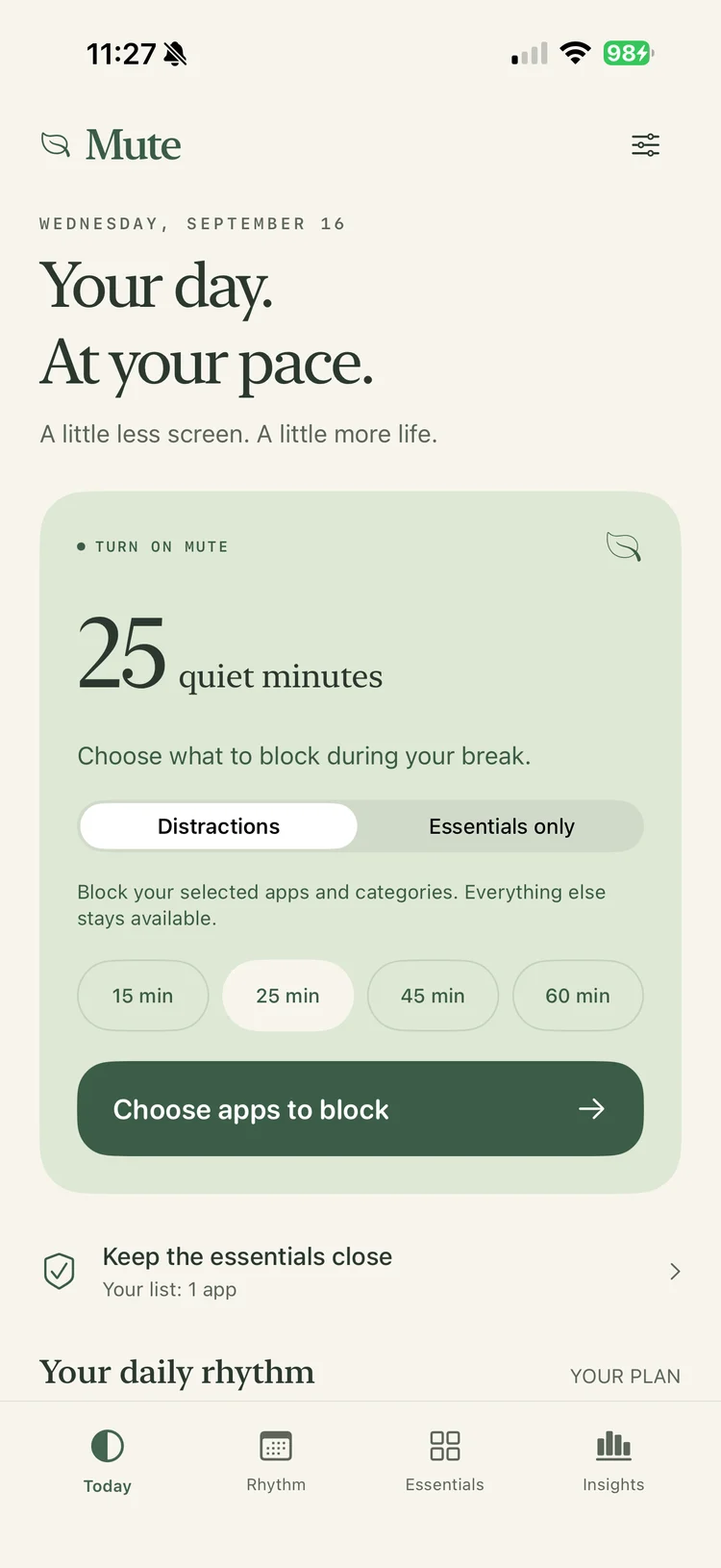
Start with 25 quiet minutes.
Pick a 15, 25, 45 or 60-minute pause. Block selected distractions, or switch to Essentials only to leave your chosen essentials available. Apple’s Screen Time controls apply the restrictions.
A calmer relationship with your iPhone
Put distracting apps on pause. Keep what matters close. Mute makes room for a focused morning, an unhurried dinner or a whole evening of your own.
Free at launch · iPhone with iOS 17.4+ · No account
Choose the apps, the time and the kind of space you need. Mute takes care of the boundaries you set.
Right now
Pick a 15, 25, 45 or 60-minute pause. Block selected distractions, or switch to Essentials only to leave your chosen essentials available. Apple’s Screen Time controls apply the restrictions.
Your daily rhythm
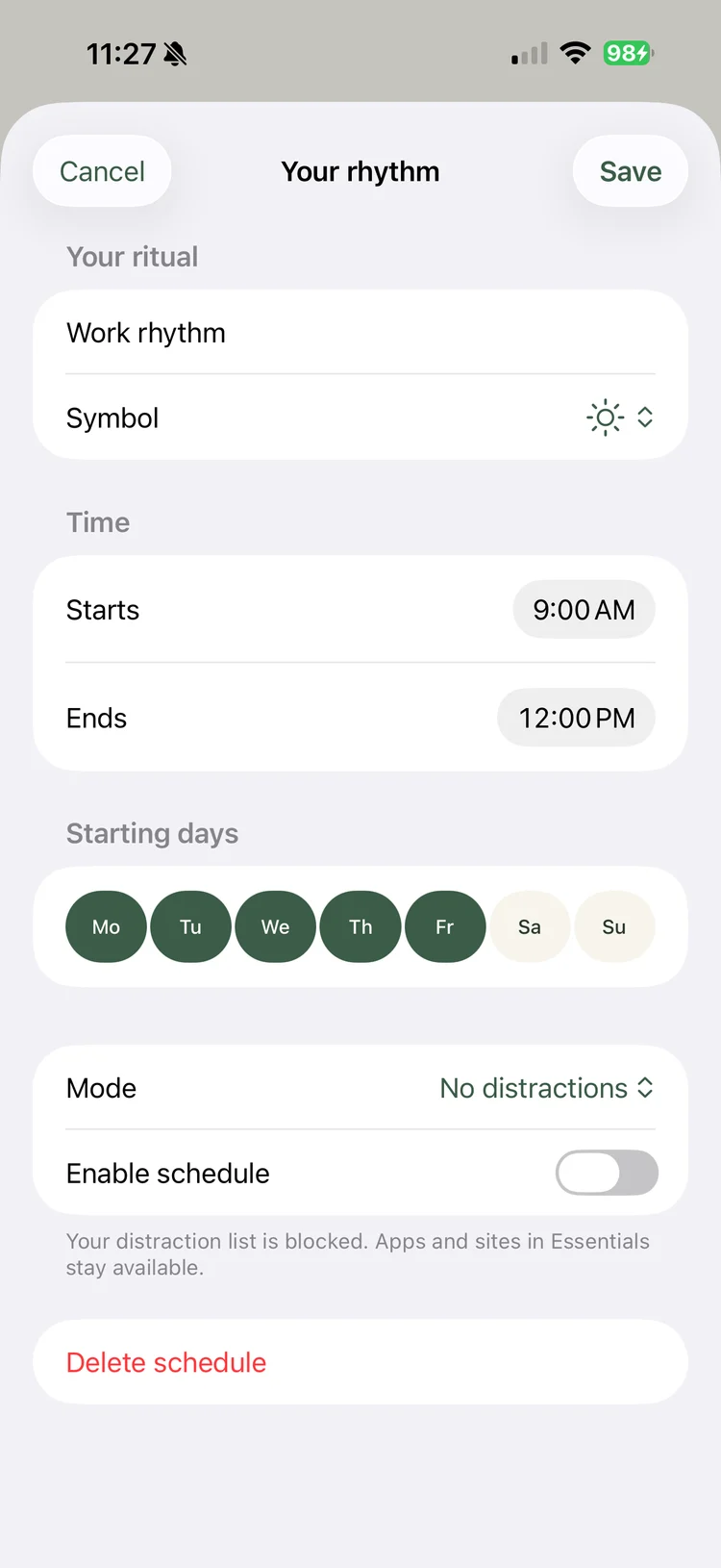
Protect your working hours, evenings or bedtime with recurring schedules. Choose the starting days and times, including pauses that continue past midnight. Your daily schedules follow your iPhone’s time zone.
Antitoxic Time
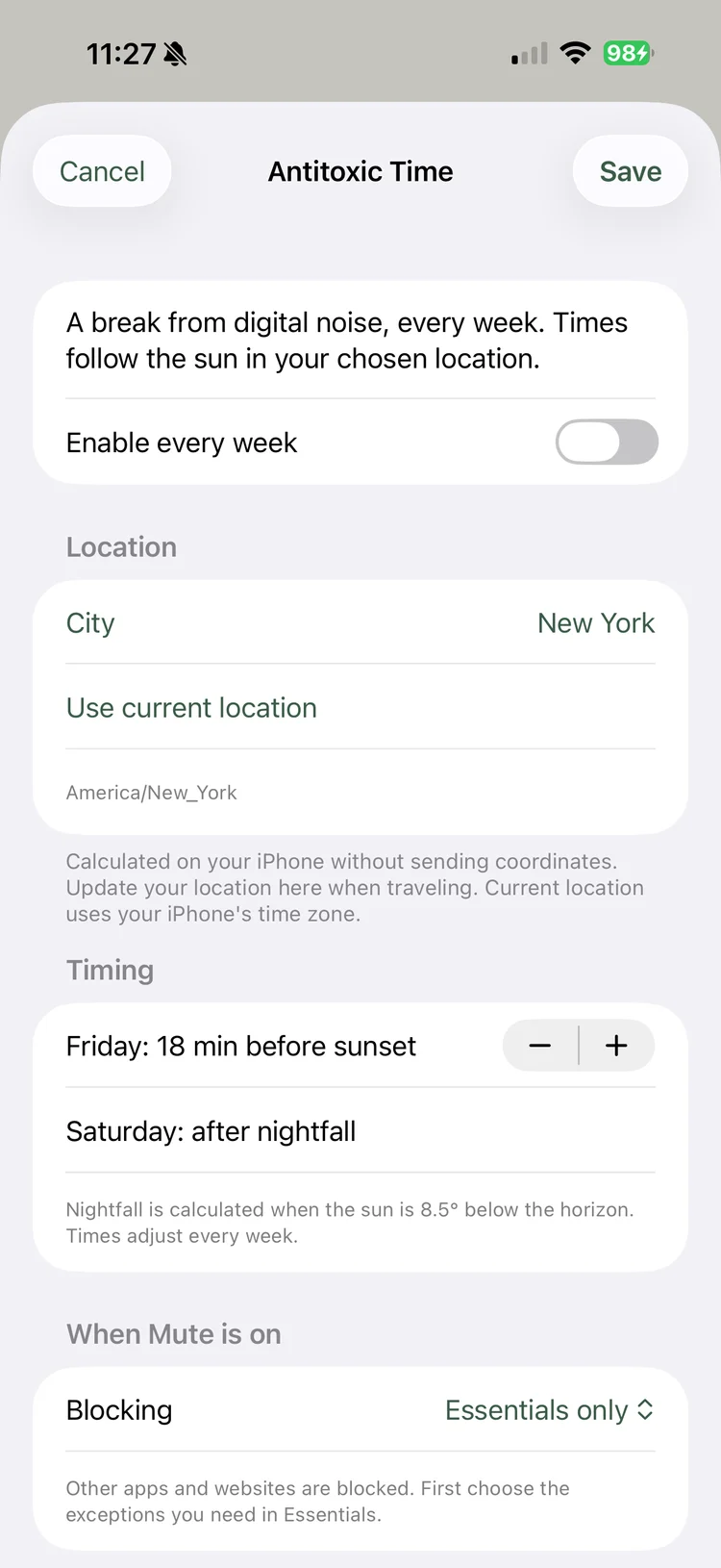
A weekly break that follows the sun. Antitoxic Time begins before Friday sunset and ends after Saturday nightfall in your chosen location. Pick a city, check the times and let your weekly reset become a habit.
Useful controls, without turning your day into another score to chase.
Two ways to pause
Distractions targets your selected apps and categories. Essentials only keeps your chosen exceptions available while shielding other supported apps and websites.
Essentials
Choose the individual messaging, navigation, banking or health apps you need. Check access before a longer pause. Apple allows up to 50 app and 50 website exceptions.
Insights
View Screen Time reports for today or the last seven days. Apple displays them in an isolated report extension; your app usage is not sent to us.
Private by design
No app account, advertising or analytics SDK. Schedules and preferences stay on your iPhone. Optional sunset calculations run on your device.
You stay in control
End a manual pause from Today. To stop every Mute restriction, including schedules, use the reset control in Settings.
Made for iPhone
Built for iOS 17.4 or later, with 50 interface locales. Screen Time permission is required to block apps.
Practical guides for your first pause and the habits that come after it.
Start here
Choose your list, grant Screen Time access and start a short pause. Read the app blocking guide.
Make it a habit
Make mornings, evenings or bedtime a little quieter. Build your daily rhythm.
Stay reachable
Understand exceptions and the 50-app limit. Set up your essentials.
Reset each week
Let Antitoxic Time follow local sunset and nightfall. Explore the weekly reset.
Yes. With your Screen Time permission, Mute uses Apple’s controls to shield supported apps and websites during a session or schedule. You choose what to block. Some system apps and services are handled differently by iOS.
Yes. Add individual apps to Essentials and use Essentials only for a broader pause. Check the apps you need before your first long session. Whole categories cannot be added as exceptions; iOS allows up to 50 app and 50 website exceptions.
Mute applies app and website restrictions. It does not turn on silent mode or replace the iPhone’s Focus settings. Use Apple’s Focus controls separately if you want to change notifications.
No. You can choose a city instead. If you use current location, calculations and saved coordinates stay on your iPhone. Mute does not track your location in the background. Update your location or city when travelling.
No. Mute does not upload Screen Time reports or app usage to the developer. Your preferences and selections stay on your iPhone. See the privacy policy.
Mute is preparing for its App Store launch and will be free at launch. The download link will appear here when the app is available.
End Mute on Today stops a manual session. A separate active schedule may still apply. To stop all sessions and disable schedules together, open Settings → Turn off all Mute restrictions. You can also revoke Screen Time access in iOS Settings.
AppHunt · Apps worth discovering
More premium apps. Less money spent. Discover developer-shared promo codes for paid apps and free subscription periods on AppHunt. Find something you love and unlock the offer in the App Store.
Selected offers only. Free periods, eligibility and renewal terms are shown with each offer. Mute itself is free at launch.
A little less screen. A little more life. Mute for iPhone is coming soon.