Text & annotations
Change the words. Keep the document.
Select an editable paragraph and type directly on the page. Adjust formatting, add a note or highlight the detail that matters. Working copies keep the original imported file separate.
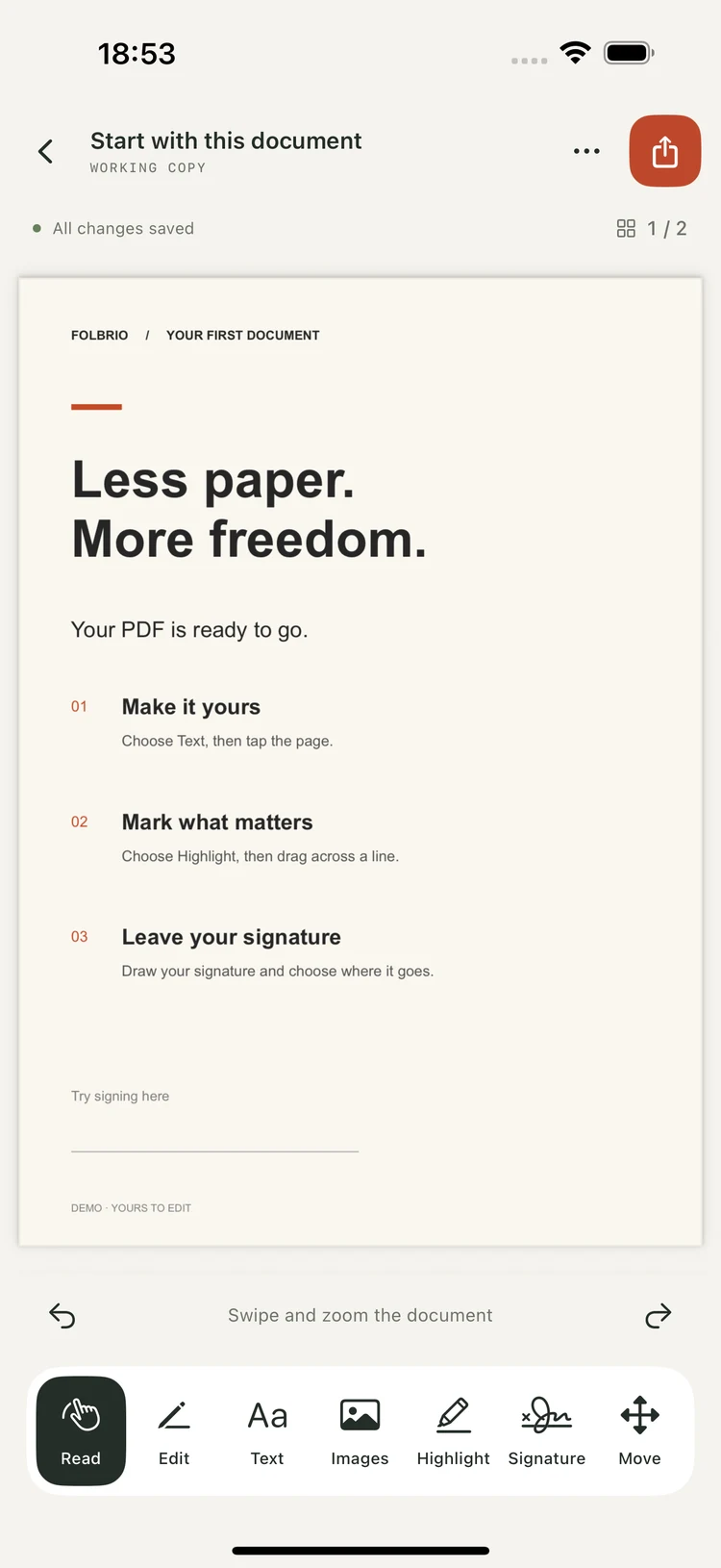
PDF editor for iPhone, iPad & Mac
Fix a sentence. Add an image. Sign and send. Folbrio brings everyday PDF editing to your Apple devices, with your documents staying on your device.
Free · No account · No in-app purchases
AppHunt · Apps worth discovering
More premium apps. Less money spent. Discover developer-shared promo codes for paid apps and free subscription periods on AppHunt. Find something you love and unlock the offer in the App Store.
Selected offers only. Free periods, eligibility and renewal terms are shown with each offer. Folbrio itself is free.
One place for the small fixes that turn a PDF into your finished document.
Text & annotations
Select an editable paragraph and type directly on the page. Adjust formatting, add a note or highlight the detail that matters. Working copies keep the original imported file separate.
Page organization
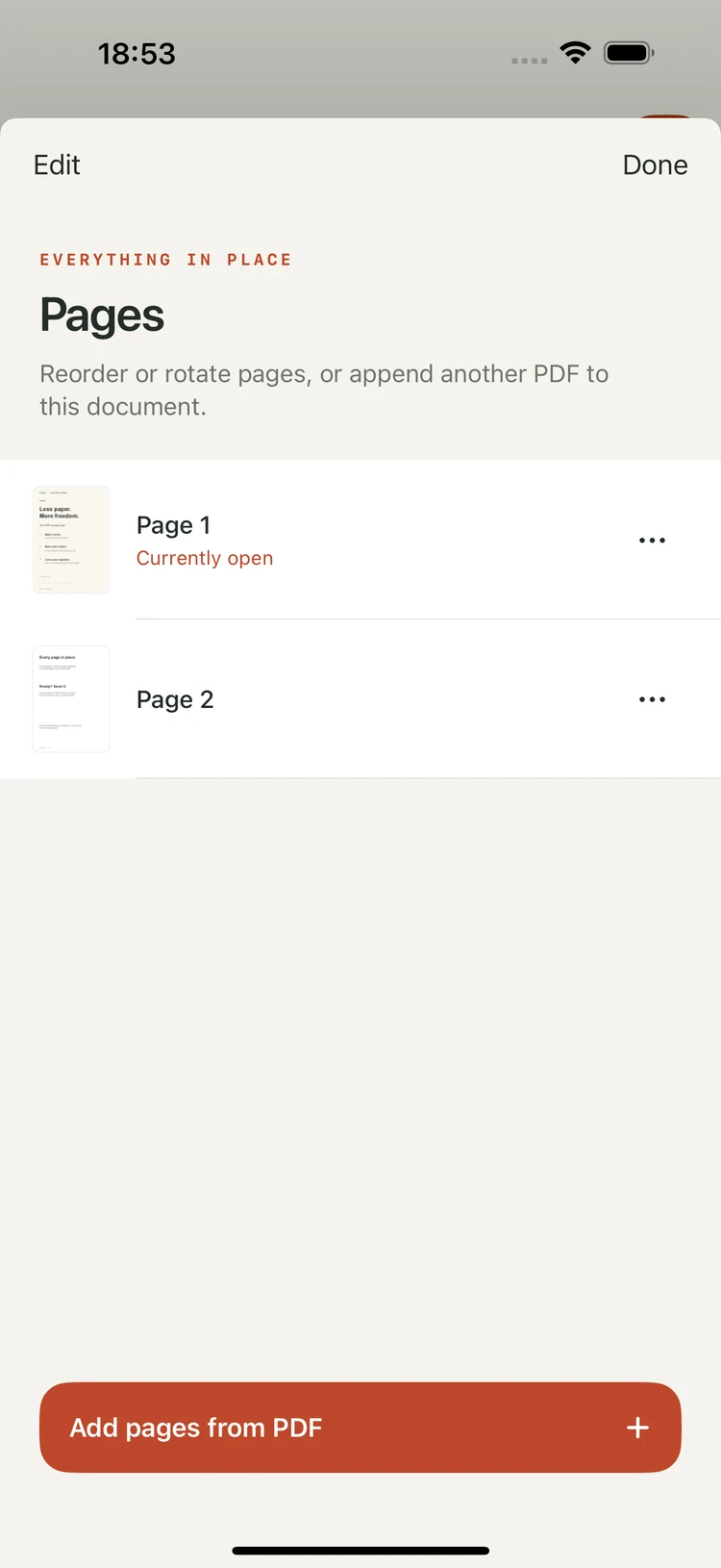
Reorder, rotate, duplicate or remove pages. Bring another PDF into the same document, then export a copy ready to share.
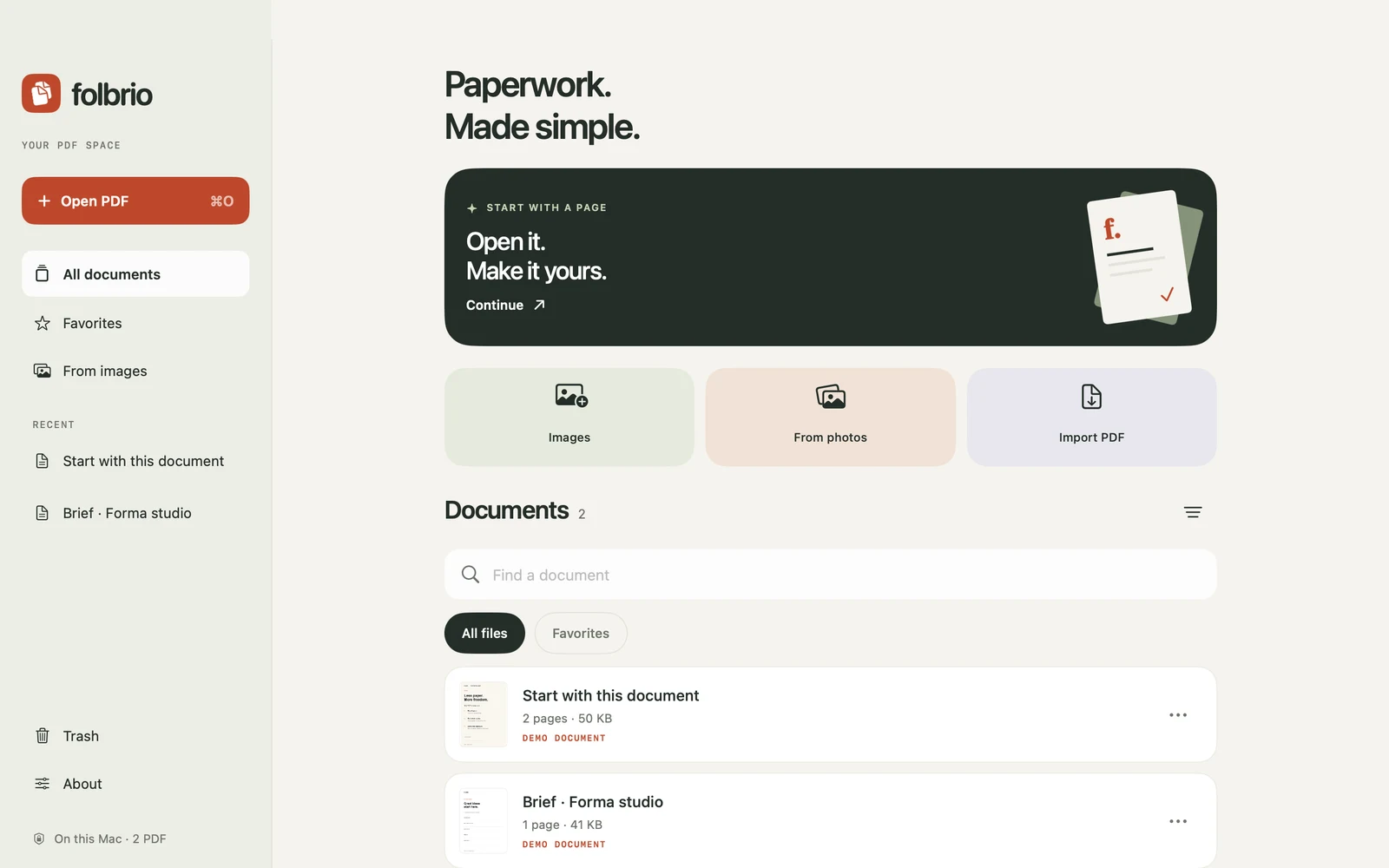
A workspace on your Mac
Open a PDF on your Mac, make your changes and save the result with the system file picker. Folbrio also runs on iPhone and iPad. Each device keeps its own local library.
For the contract on your desk, the brief in your inbox and the scan you need to fix.
Images
Insert an image with Add image. Select supported pictures to move, resize, replace or remove them.
Signatures
Draw and place a signature, add the date and export. A simple visual signature annotation.
OCR
Recognize a page on your device. Review the preview, correct the wording and check your export.
Privacy
No app account, advertising or analytics SDK. Documents are processed locally on your device.
Export
Use the system save or share interface. Reopen the exported PDF to check your finished work.
Languages
English plus Russian, Spanish, German, French, Italian, Portuguese, Japanese, Korean and Simplified Chinese.
Short guides for the edits you need most often.
01 / Text
Replace a sentence, adjust its formatting and understand when a page needs OCR. Read the text guide.
02 / Images
Insert a logo or photo, get the size right and remove an image you no longer need. Read the image guide.
03 / Signatures
Draw a signature, place it on the page and check the copy before sending. Read the signature guide.
04 / Scans
Preview on-device OCR and learn what to check before saving. Read the OCR guide.
Need a hand?
Import limits, pages, storage, exports and common questions. Visit Folbrio support.
AppHunt Studio
Folbrio is made by the team behind AppHunt. Meet our other apps.
Folbrio is on the App Store for iPhone, iPad and Mac, and it is free to download.
Yes. Folbrio is free, with no subscriptions, in-app purchases or paid feature gates.
Folbrio is a special project by the team behind AppHunt, where you can discover promo codes and App Store deals. Folbrio is free; it does not need a promo code or an AppHunt account. Meet our other apps, including 8hrs.
Yes, for supported PDF text. Select a paragraph with Edit and type on the page. Text reflows within the selected box. Scans or outlined letters may need OCR, and complex PDF content may not be directly editable.
Use Add image above the document to open the picker for a new picture. Use Images to select supported pictures already on the page. See the image guide.
No. Editing and OCR run on your device. Folbrio has no developer-operated document-upload service. You choose where an exported file is saved or shared.
Each device has its own local library. Folbrio does not provide automatic cloud sync. Export a copy and use your preferred file service to transfer it.
iOS 17+, iPadOS 17+ and macOS 14+. Import unencrypted PDFs up to 40 MB and 200 pages. Camera scanning is available on iPhone and iPad.
Folbrio is not a secure-redaction tool. Drawn signatures are visual annotations, not certificate-based digital signatures. Use a tool designed for those requirements when you need them.

Less time on paperwork. Folbrio is free on iPhone, iPad and Mac.