Containers
MKV, AVI, MP4, MOV, WMV, FLV, WebM, TS, VOB and more
Including the awkward ones: RealMedia, 3GP, M2TS from a camcorder, MPEG-2 from a DVD rip.
Video player for iPhone, iPad, Mac and Apple TV
Drop in an MKV, an AVI, an old WMV or a recording from your camera and it just plays, with the subtitles, the audio track and the picture the file was made with. Play straight from your NAS, send anything to your TV, and keep your place across your devices.
Free to download · Optional 70mm Pro, one purchase for all your devices
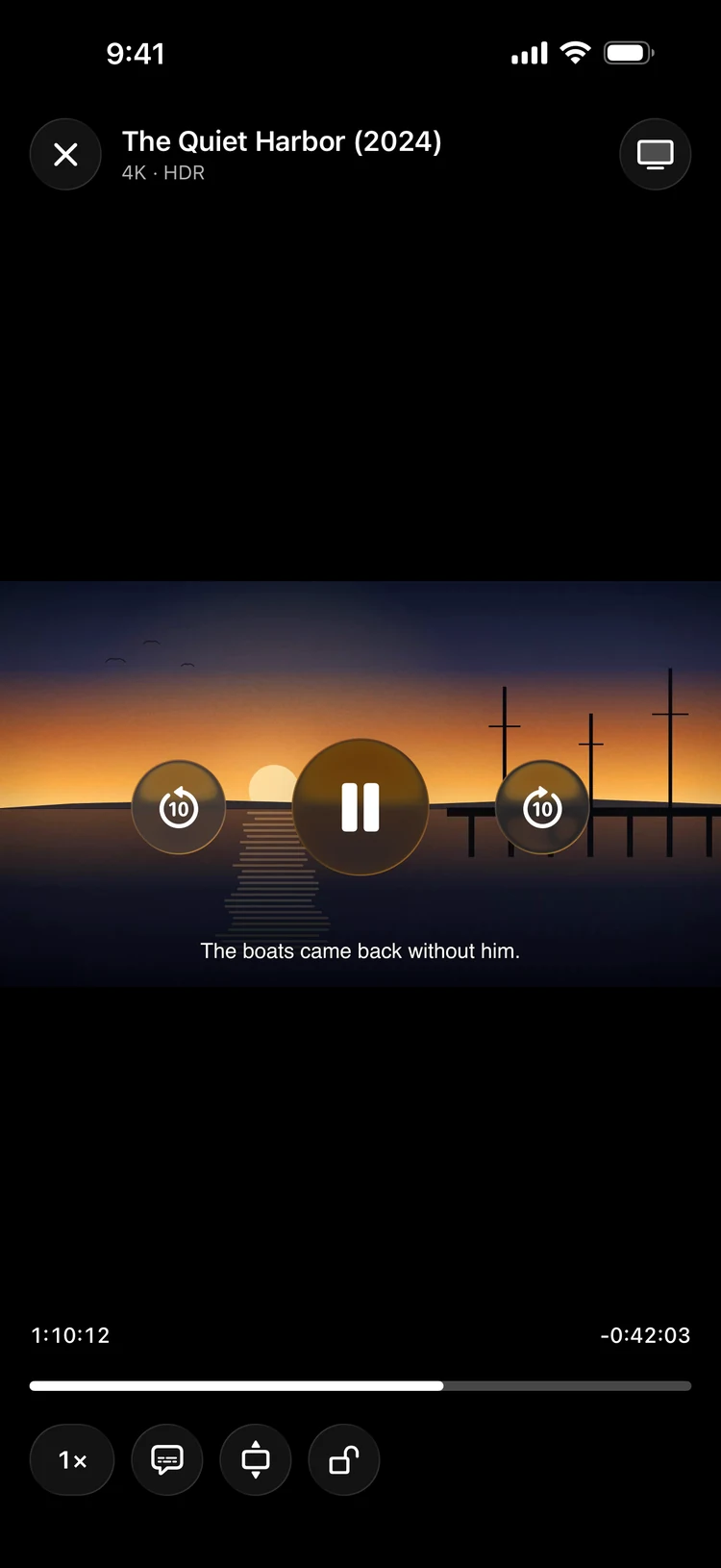
70mm carries its own decoders, so a file that opens nowhere else opens here — and it says so plainly when a file is damaged instead of failing in silence.
Containers
Including the awkward ones: RealMedia, 3GP, M2TS from a camcorder, MPEG-2 from a DVD rip.
Codecs
HDR10 video and 4K at 60 frames play with hardware decoding where the device supports it, and fall back to software where it doesn't.
Audio
Switch audio tracks mid-scene. When a track can't play, 70mm moves to the best other one and tells you why.
Subtitles
Positioned signs, karaoke colouring and fonts survive. Subtitle files next to the video are found by themselves, including a Subs folder.
Add a server once and browse it like a folder. 70mm streams the file and keeps your place, on every device you have.
SMB
Synology, QNAP, TrueNAS, a Mac with File Sharing on, or a Windows PC.
SFTP & FTP
Sign in once; the password stays in your keychain and never leaves the device.
WebDAV
Nextcloud, Synology WebDAV and anything else that speaks it.
Wi-Fi Transfer
Open the address 70mm shows in any browser and drop files straight into the app.
70mm on Apple TV plays what AirPlay won't carry, and your iPhone becomes the remote.
Apple TV
MKV with DTS and styled subtitles included. Videos on a NAS open on the TV straight from the server.
Mac
Open With from Finder, a window per video, keyboard shortcuts, and the same library.
Chromecast
70mm converts what the TV can't play on its own.
AirPlay
The system route picker, right in the player.
Every format plays free, forever, with no ads and no account. 70mm Pro is one purchase for iPhone, iPad, Mac and Apple TV, and it works with Family Sharing. Prices are in US dollars.
Free
Every format, subtitles, Picture in Picture, Wi-Fi Transfer, one network server, and three tries at playing on a TV.
70mm Pro
Playing on your TV without limits, as many servers as you like, your place synced across devices, subtitle translation on your device, and a private folder behind Face ID.
MKV, AVI, MP4, MOV, M4V, WMV, ASF, FLV, WebM, TS, M2TS, VOB, MPG, OGV, 3GP, RealMedia and more, with HEVC 10-bit, AV1, VP9, H.264, MPEG-2, Xvid and DivX video, and DTS, AC-3, E-AC-3, AAC, FLAC, Opus, Vorbis, MP3 and PCM audio. Music files play too.
No. There are no ads, no sign-up and no subscription. Your videos stay on your devices and your own network; 70mm sends nothing anywhere.
Yes. Add a server over SMB, SFTP, FTP, WebDAV or NFS and browse it like a folder. The first server is free; more are part of 70mm Pro.
Install 70mm on your Apple TV and send a video from your iPhone, in any format, with subtitles. Chromecast and AirPlay work too. Three casts are free, then it's part of Pro.
No, it's a one-time purchase of $14.99 that covers iPhone, iPad, Mac and Apple TV, and it's shared with your family.
Yes, with 70mm Pro. Translation runs on your device with Apple's translation, so it works offline and nothing is uploaded.

Get 70mm on the App Store for iPhone, iPad, Mac and Apple TV.