Today
See whether today fits
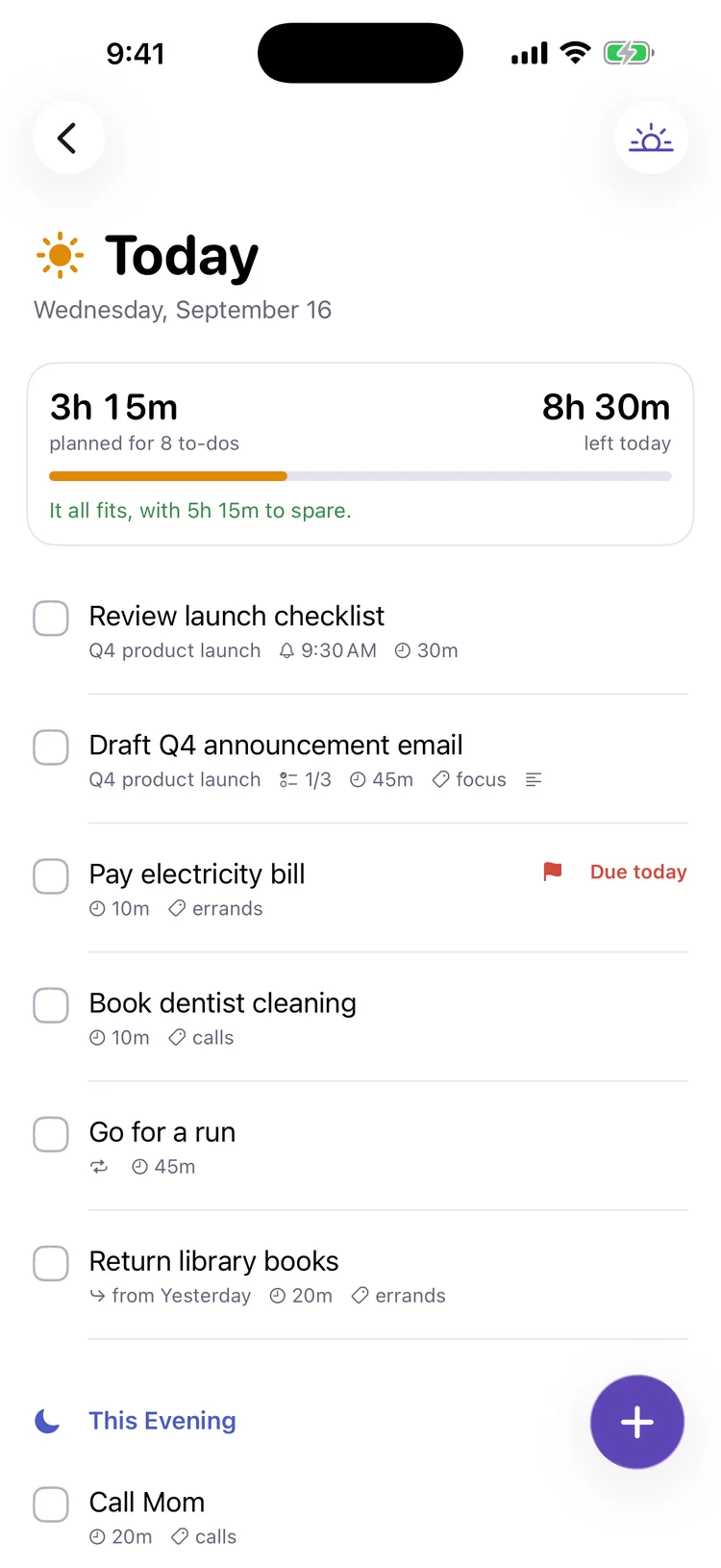
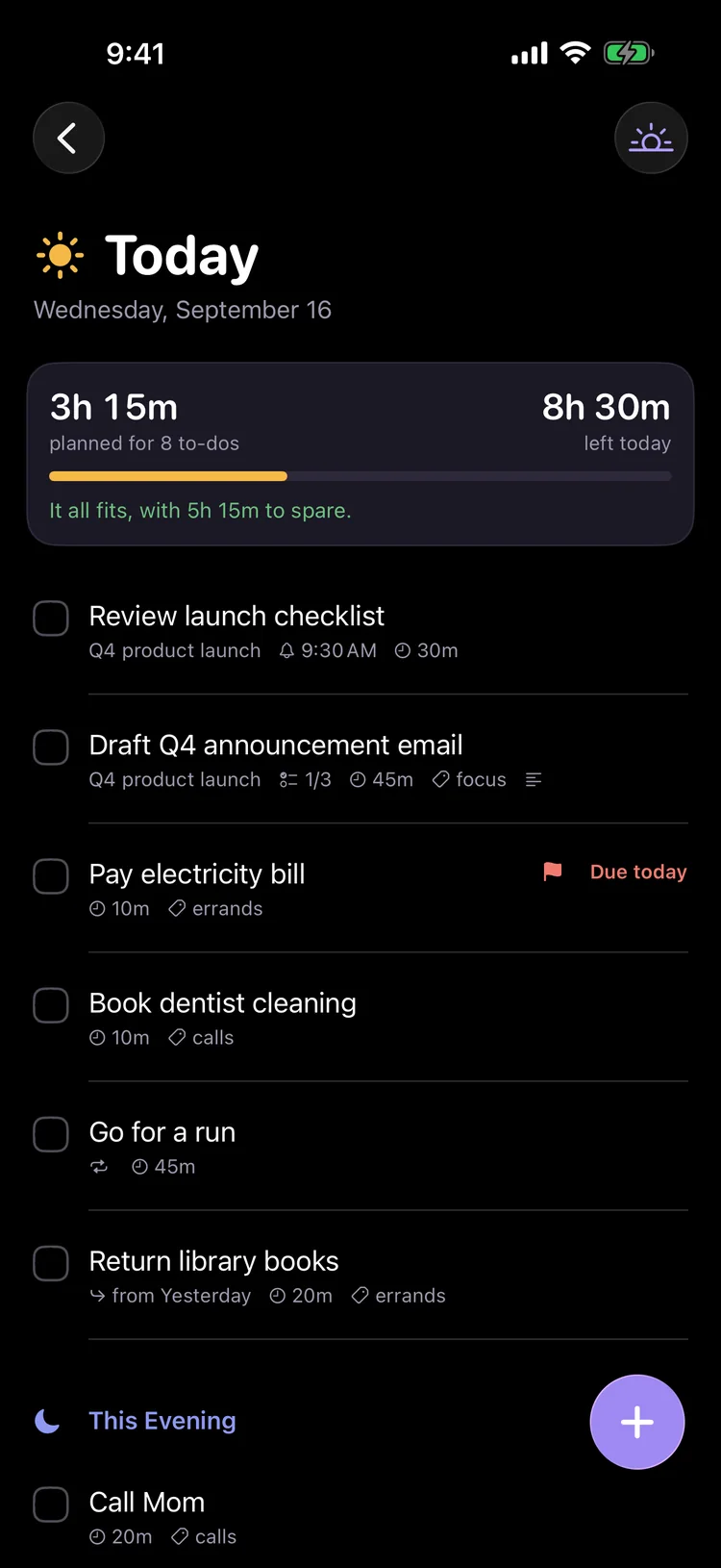
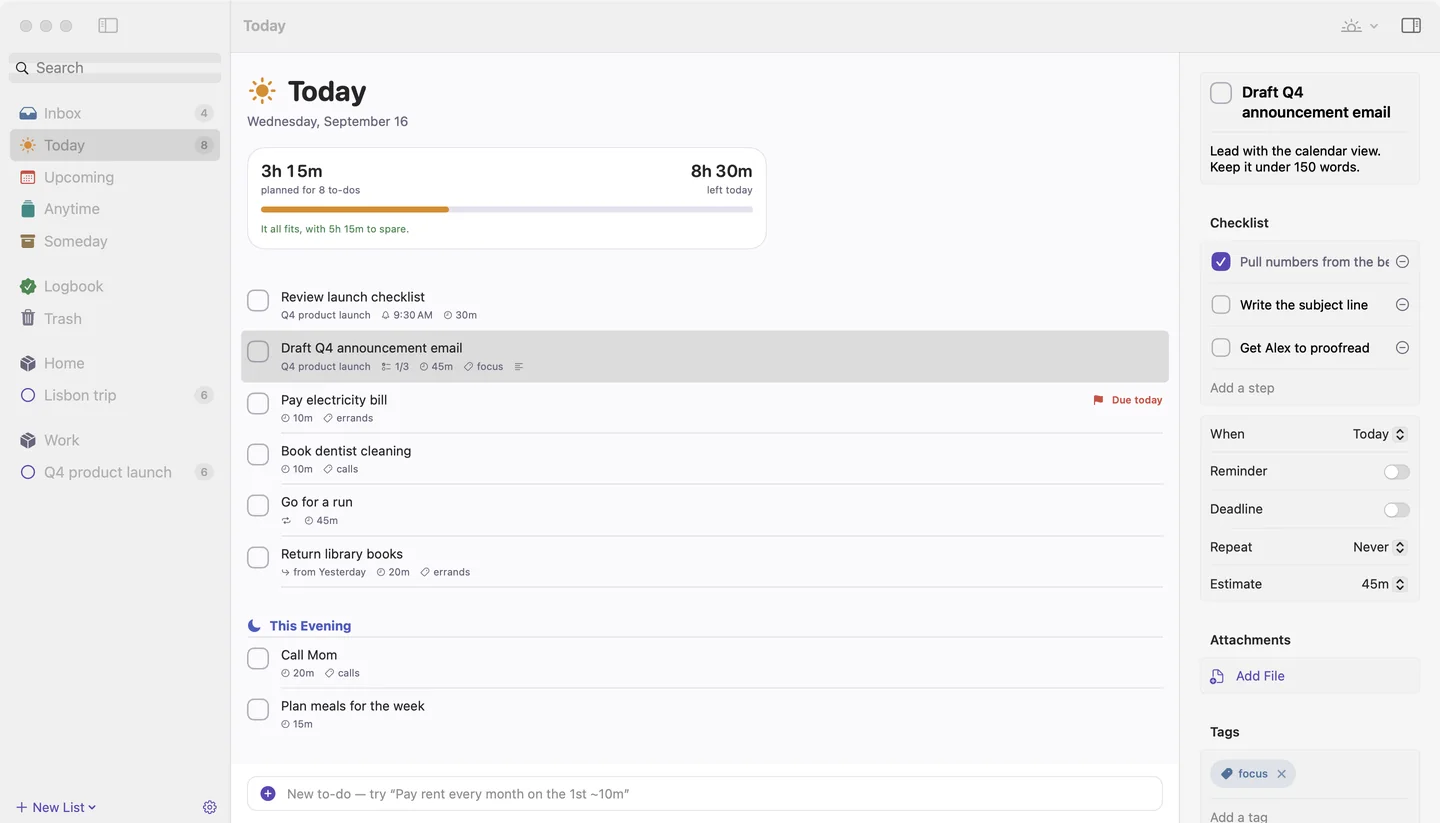
Add estimates like ~30m and Today adds them up against the time left before your day ends. With your calendar on, meetings count too. When it doesn't fit, you know in the morning, not at 9 pm.
To-do list and day planner for iPhone, iPad and Mac
Handful is a calm to-do list for life and work. Type things the way you'd say them, see in the morning whether today fits, and move what's left to tomorrow in the evening, without the guilt.
Available now · Free to download, optional Handful Plus
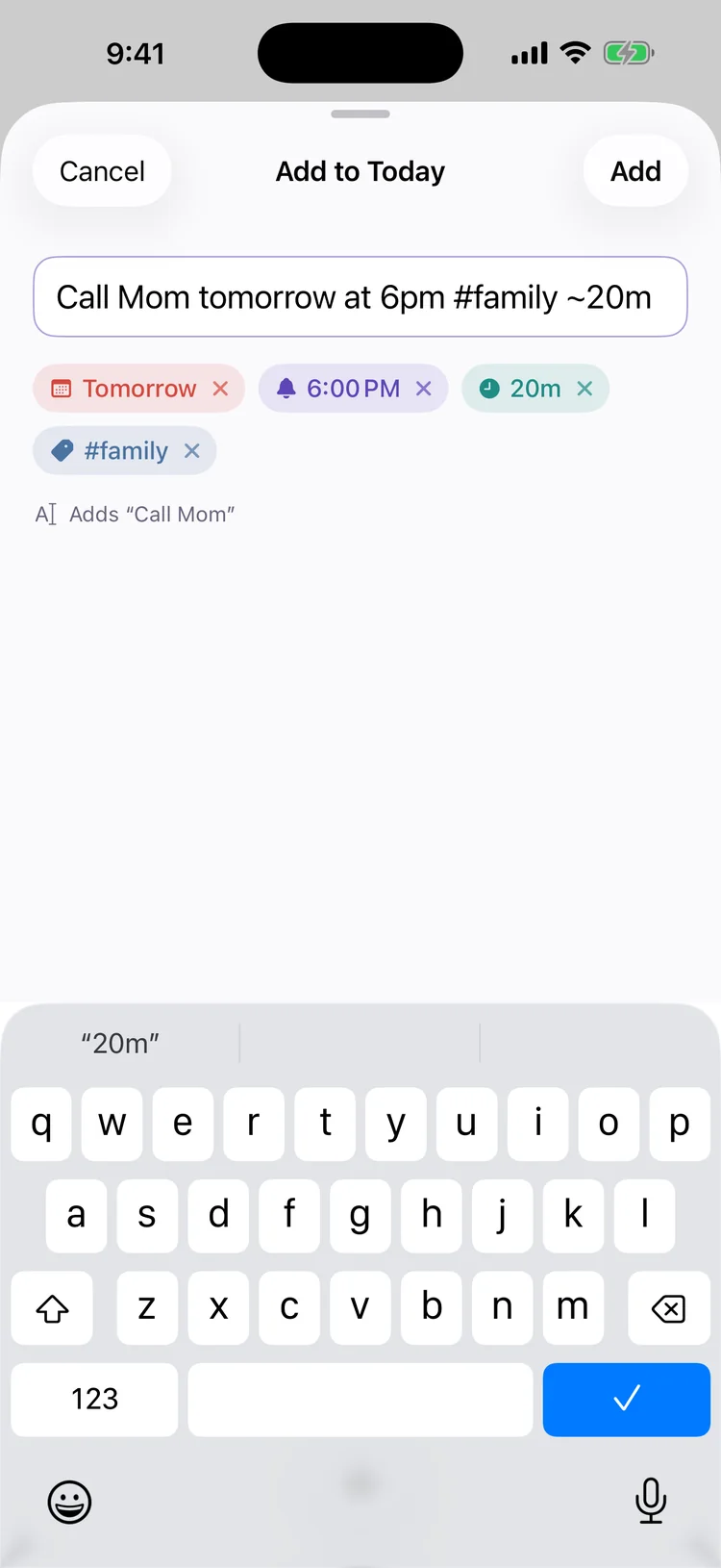
Days, times, repeats, deadlines, tags, lists and estimates turn into details as you type. Tap a chip to keep the words as plain text.
Tomorrow, reminder at 6:00 PM · #family · 20 min
Most to-do lists let you pile up more than a day can hold. Handful adds up your estimates, compares them with the time you have, and helps you decide early what can wait.
Today
Add estimates like ~30m and Today adds them up against the time left before your day ends. With your calendar on, meetings count too. When it doesn't fit, you know in the morning, not at 9 pm.
Quick entry
“Call Mom tomorrow at 6pm #family ~20m” becomes a to-do with a day, a reminder, a tag and an estimate. Every detail shows as a chip you can remove before you add it.
Plan Today and Wrap Up
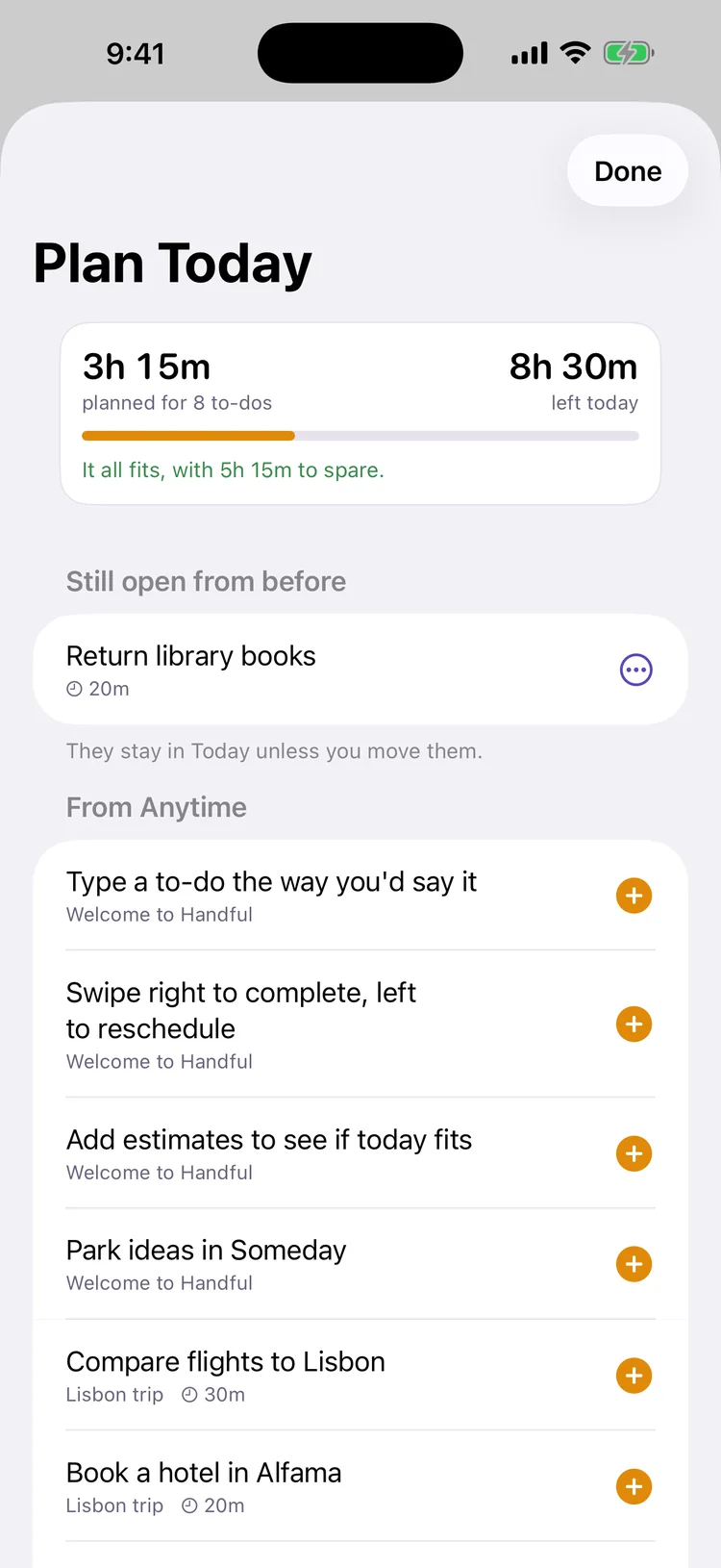
Plan Today settles yesterday's leftovers and pulls in what's due. Wrap Up moves what's left to tomorrow, the weekend or Someday. No red overdue piles.
Projects
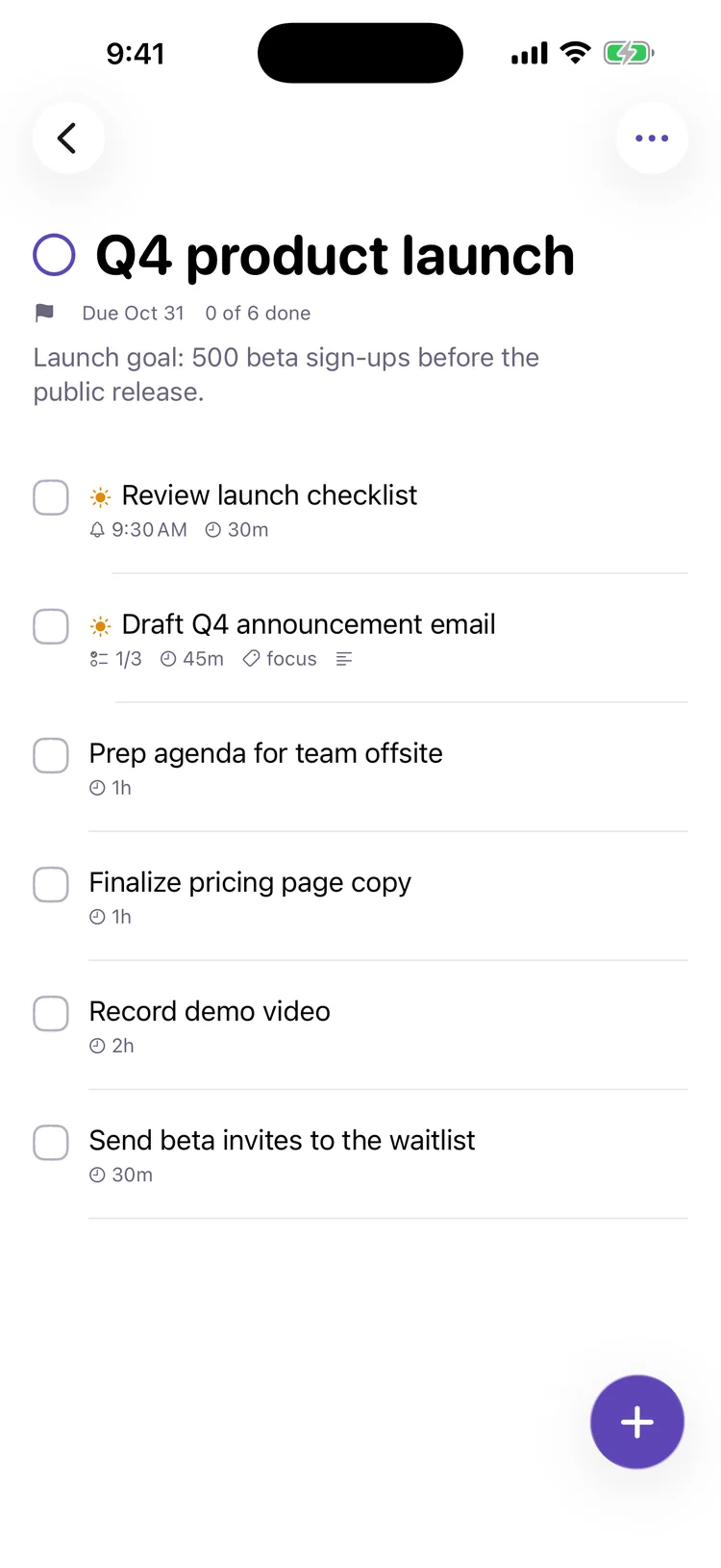
Group work into projects and areas, split projects with headings, and watch the progress ring fill. Share a project with the people you live or work with and assign to-dos (Plus).
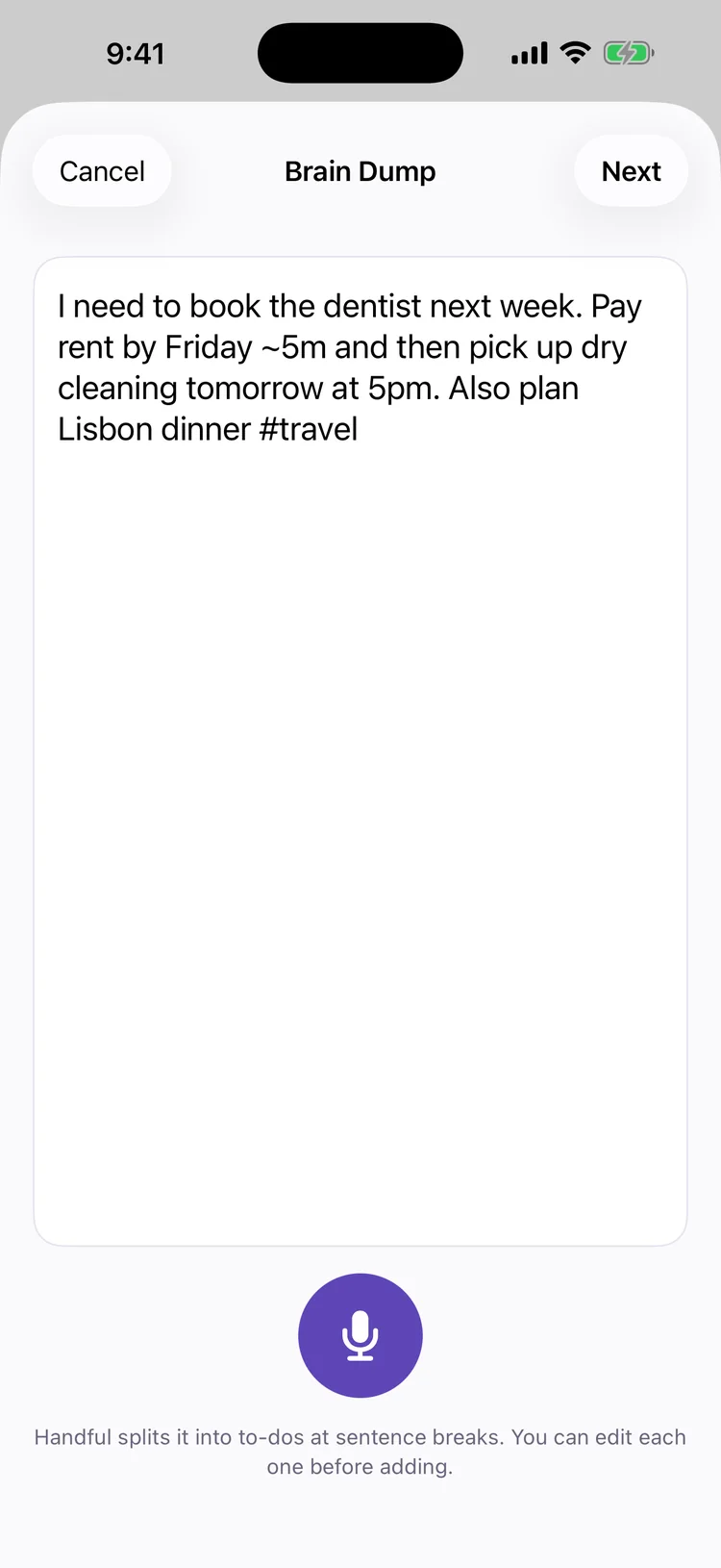
Brain dump · Plus
Talk for a minute and Handful turns it into separate to-dos, with the days and times you mentioned. Speech is transcribed on your iPhone, and with Apple Intelligence the splitting runs on device too.
Mac
A sidebar, an inspector and keyboard shortcuts for everything. Your to-dos sync through your own iCloud, and you can import a whole Things library on the Mac in one go.
Widgets
Today, Up Next, any list, and a quick-add widget. Control Center buttons too.
Focus
Start focus on a to-do, then pause, add five minutes or check it off from the Lock Screen.
Siri & Shortcuts
“Add call the dentist tomorrow to Handful” lands on the right day, with a reminder.
Share sheet
Share a page or some text from another app. Handful keeps the link in the notes.
Apple Watch · Plus
See what's left today and check it off, or add a to-do with your voice.
iCloud
No account and no Handful servers. Everything syncs through your own private iCloud.
Bring your to-dos over with their projects, headings, checklists, tags, dates and repeats. Nothing changes in the other app, and importing twice doesn't duplicate anything.
Things 3
In Handful for Mac choose File › Import › Things 3. It syncs to your iPhone.
Reminders
Each Apple Reminders list becomes a project, with due dates, notes and repeats.
Todoist and TickTick
Choose the CSV files from a Todoist or TickTick backup. Sections become headings.
Anything else
Paste text, Markdown or TaskPaper. Indented lines become checklist steps.
Handful is free to download, with no ads and no account. Handful Plus is optional. Prices are in US dollars.
Free
Quick entry, Today and Upcoming, projects and areas, reminders and repeats, Plan Today and Wrap Up, widgets, the Mac app and iCloud sync.
Handful Plus
Shared projects, voice brain dump, calendar events, photos and files, alarms and location reminders, themes and Apple Watch.
Yearly
Starts with a 14-day free trial, and Handful reminds you two days before it ends. Family Sharing included.
Lifetime
Pay once and keep Plus for good, on all your devices and for your family.
AppHunt special project
Unlock a promo code in the AppHunt app for 100 Hunt Points, then redeem it with Apple for a full year of Handful Plus. Earn points with your free AppHunt account.
For new subscribers. 1,500 redemptions available. Redeem before March 1, 2027 (Pacific Time). After one free year, the subscription renews at the standard price unless canceled. Apple shows your local price before you redeem.
Handful is available now on the App Store for iPhone, iPad and Mac.
Yes. Handful is free to download, with no ads and no account. Handful Plus is optional: $29.99 a year with a 14-day free trial, or $69.99 once, with Family Sharing.
Get a promo code on AppHunt for one free year of Handful Plus. The code costs 100 Hunt Points, which you can earn in AppHunt. New subscribers only; renews at the standard price after the free year unless canceled.
Yes, through your own iCloud. Sign in to the same Apple Account on each device and your to-dos stay in sync. The Mac app is included.
Yes. In Handful for Mac choose File › Import › Things 3 to bring over areas, projects, headings, checklists, tags, dates and repeats. You can also import from Apple Reminders, Todoist, TickTick or a text list. Read how.
No. There's no account, no ads and no tracking. Your to-dos are stored on your devices and in your own iCloud. Privacy policy.
No. Everything works without it. Voice brain dump transcribes on your device either way; with Apple Intelligence it also splits what you said into to-dos with the on-device model.
Della is a secretary for your to-dos, coming in an update as part of Handful VIP. She plans your day, tidies your Inbox and does what you ask in plain English, and nothing changes until you tap.

Download Handful for iPhone, iPad and Mac. Start free and add Handful Plus when you need more.