AppHuntUse apps for free.
Paid apps & subscriptions, free with promo codes.See offers

Work hours tracker for iPhone

Track your hours in one tap. Get paid for every one.

Clock in from the Lock Screen, take breaks off the clock, and see overtime and pay add up by pay period. Billing clients? 8hrs keeps billable hours and timesheets ready. No account needed.

Available now · Free to download, optional 8hrs Pro

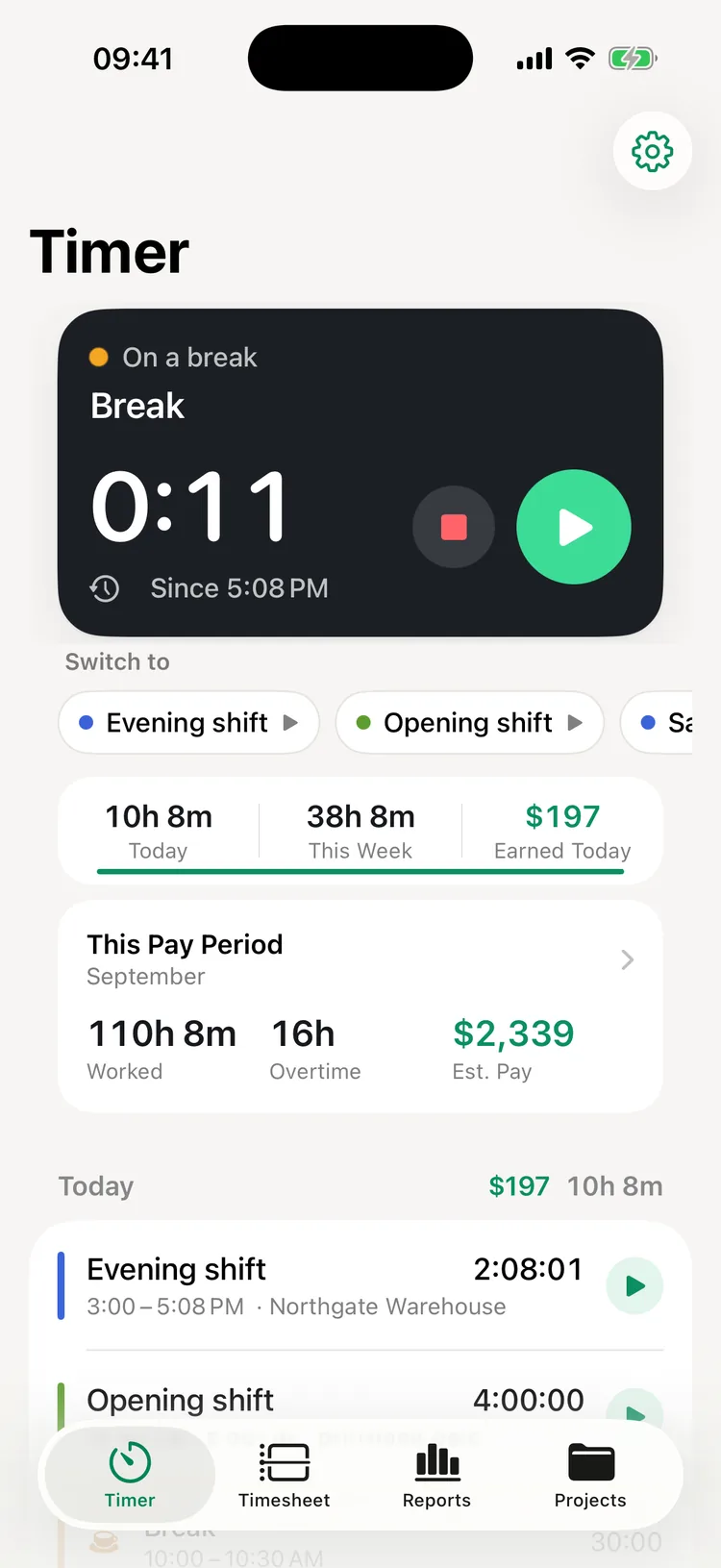
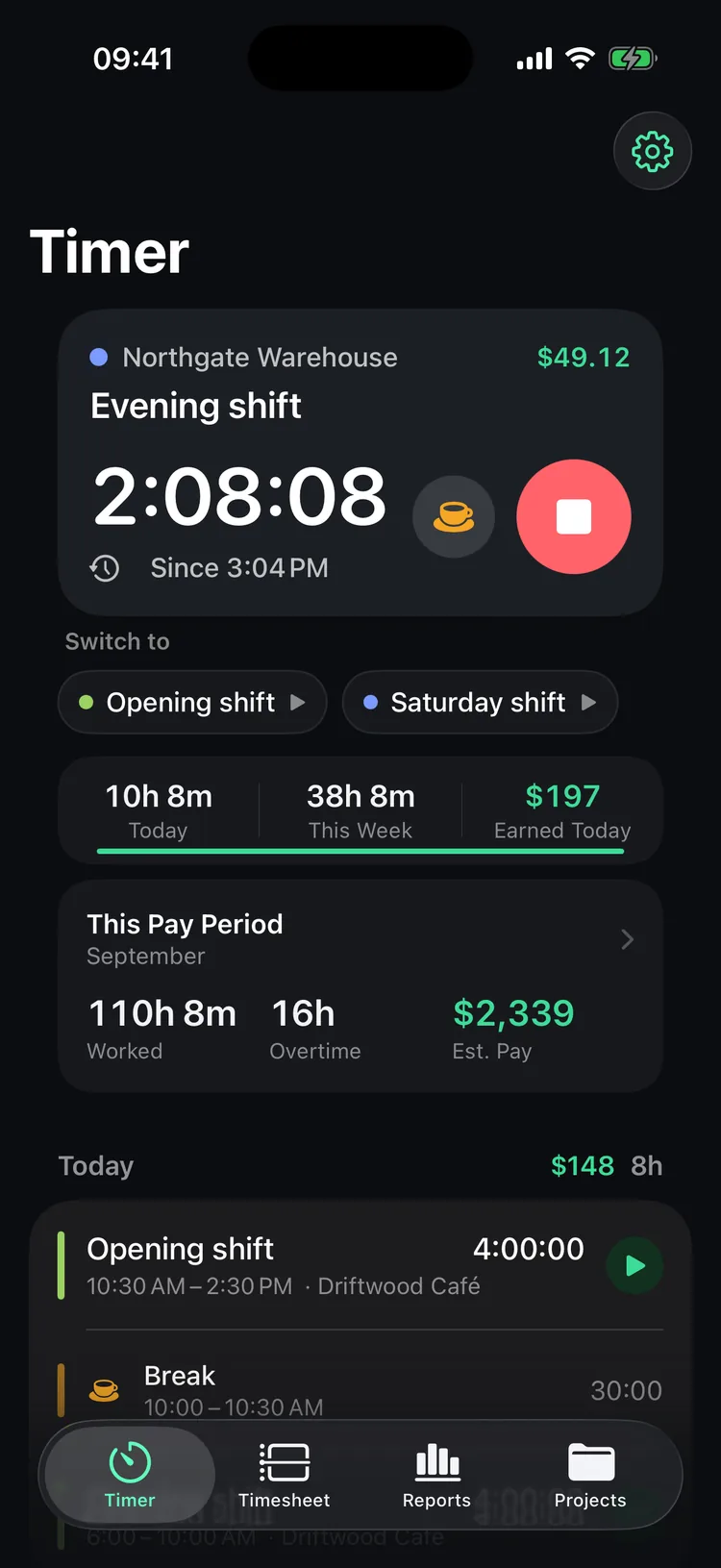
8hrs on iPhone with an evening shift running for 2 hours 8 minutes, a break button, and this pay period's hours worked, overtime and estimated pay
  • Lock Screen timer
  • Unpaid breaks
  • Overtime & pay periods
  • PDF & CSV timesheets
  • Import from Toggl, Clockify & Harvest
  • No account

Log hours the way you'd say them

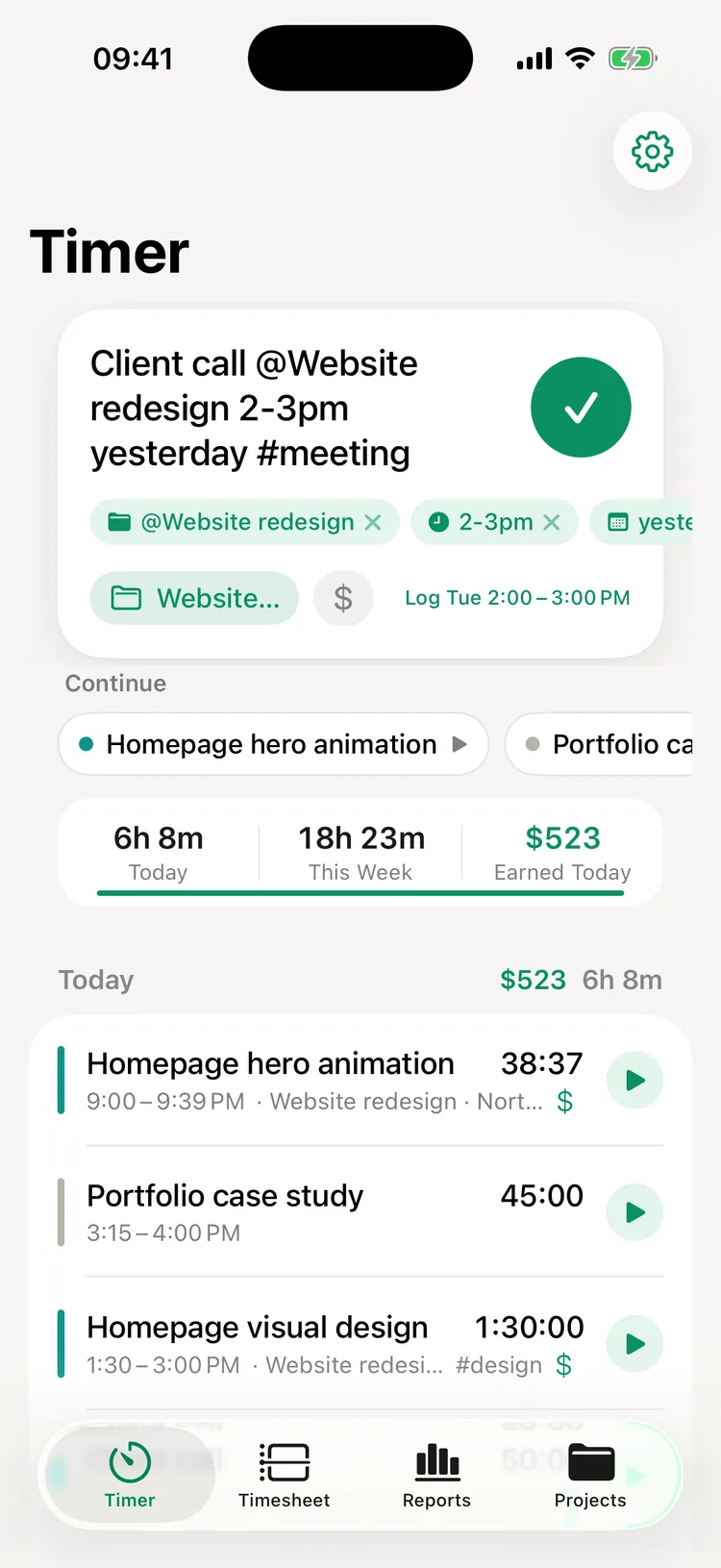
Type a line and 8hrs picks out the project, tags, times and day. Log the shift or the client call you forgot to track, or start a timer that began twenty minutes ago.

Client call @Northwind 2-3pm yesterday

Logged yesterday, 2:00–3:00 PM in Northwind

A work hours tracker that knows how you're paid

Start timers without opening the app, take breaks, and see what your hours add up to, whether you work shifts or bill clients.

Hourly or freelance

Start with how you get paid

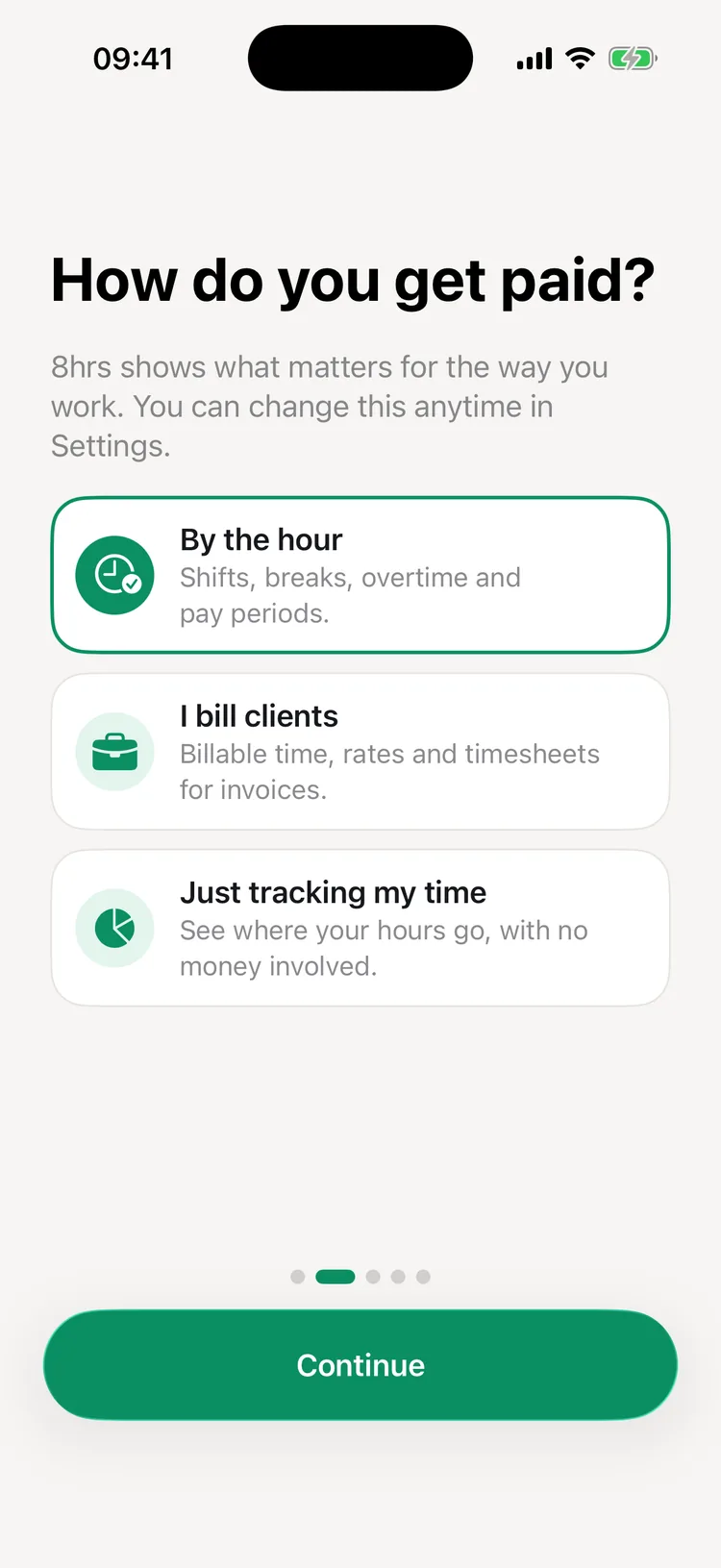
8hrs asks one question when you set it up: by the hour, billing clients, or just tracking your time. Hourly work gets breaks, overtime and pay periods. Client work gets billable time and rates. Personal tracking shows no money at all. Change it anytime in Settings.

8hrs setup asking How do you get paid? with By the hour selected and I bill clients and Just tracking my time as the other choices

Lock Screen & Dynamic Island

Start and stop without opening the app

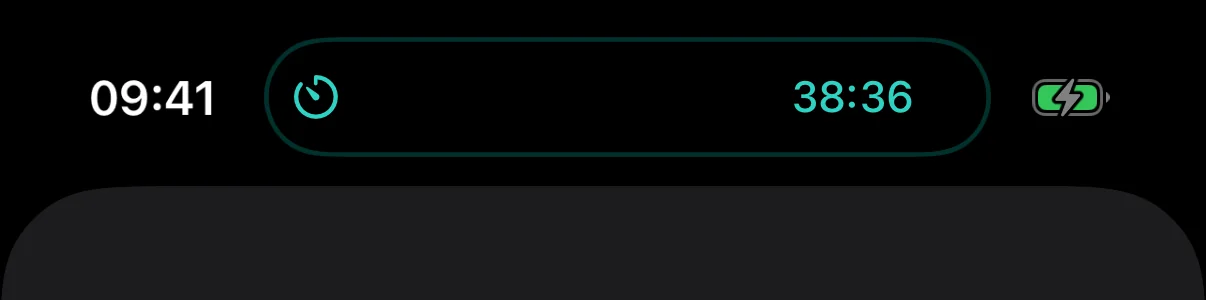
Your running timer shows on the Lock Screen and in the Dynamic Island with a Stop button. Flip it from Control Center or the Action button, tap a widget, or ask Siri to start tracking.

8hrs timer counting in the iPhone Dynamic Island

Breaks

Take a break off the clock

When you're paid by the hour, the running timer has a break button. The break shows on your timeline but isn't counted or paid. Tap play when you're back, and the same shift picks up again.

8hrs timer on a break that started at 5:08 PM, with buttons to end the shift or go back to work, above this pay period's hours

Overtime & pay periods

See overtime and pay before payday

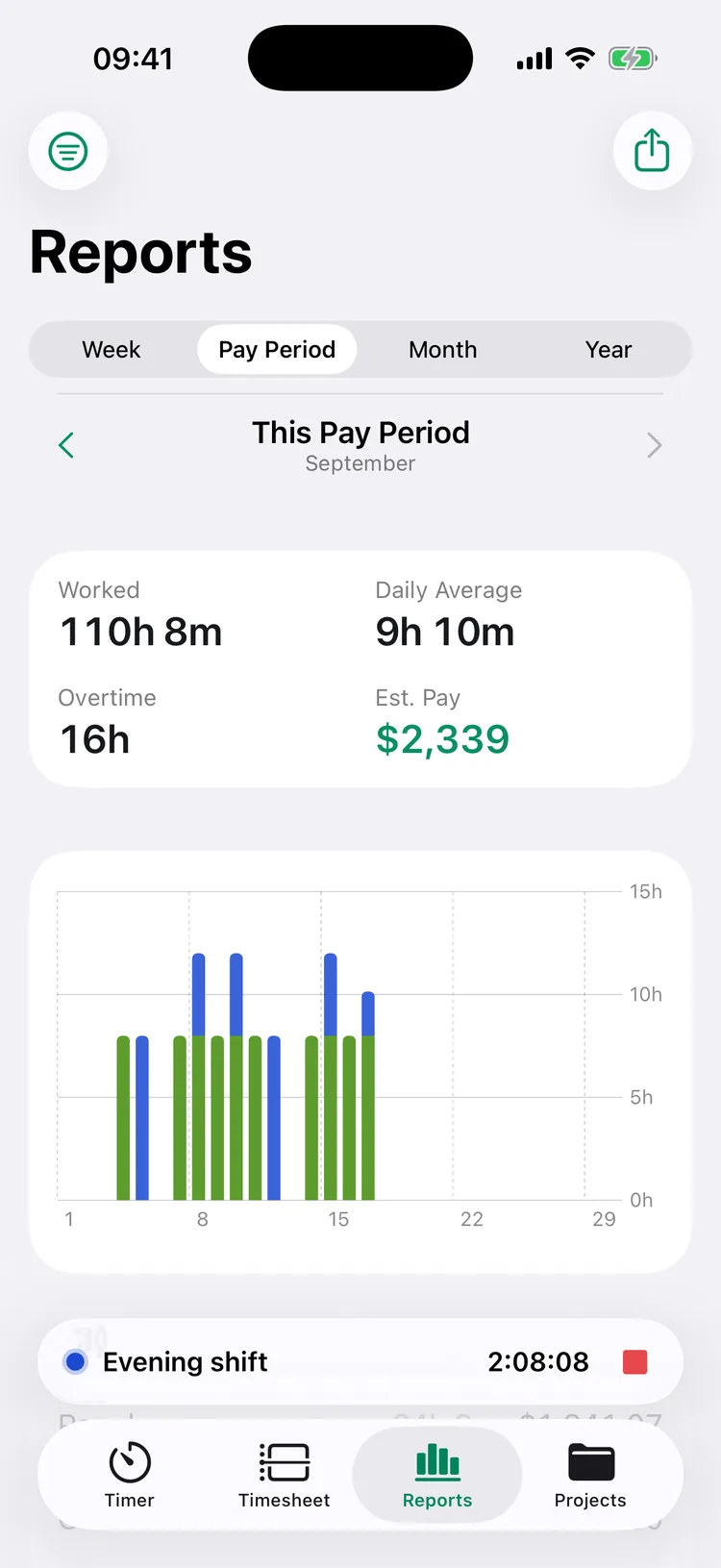
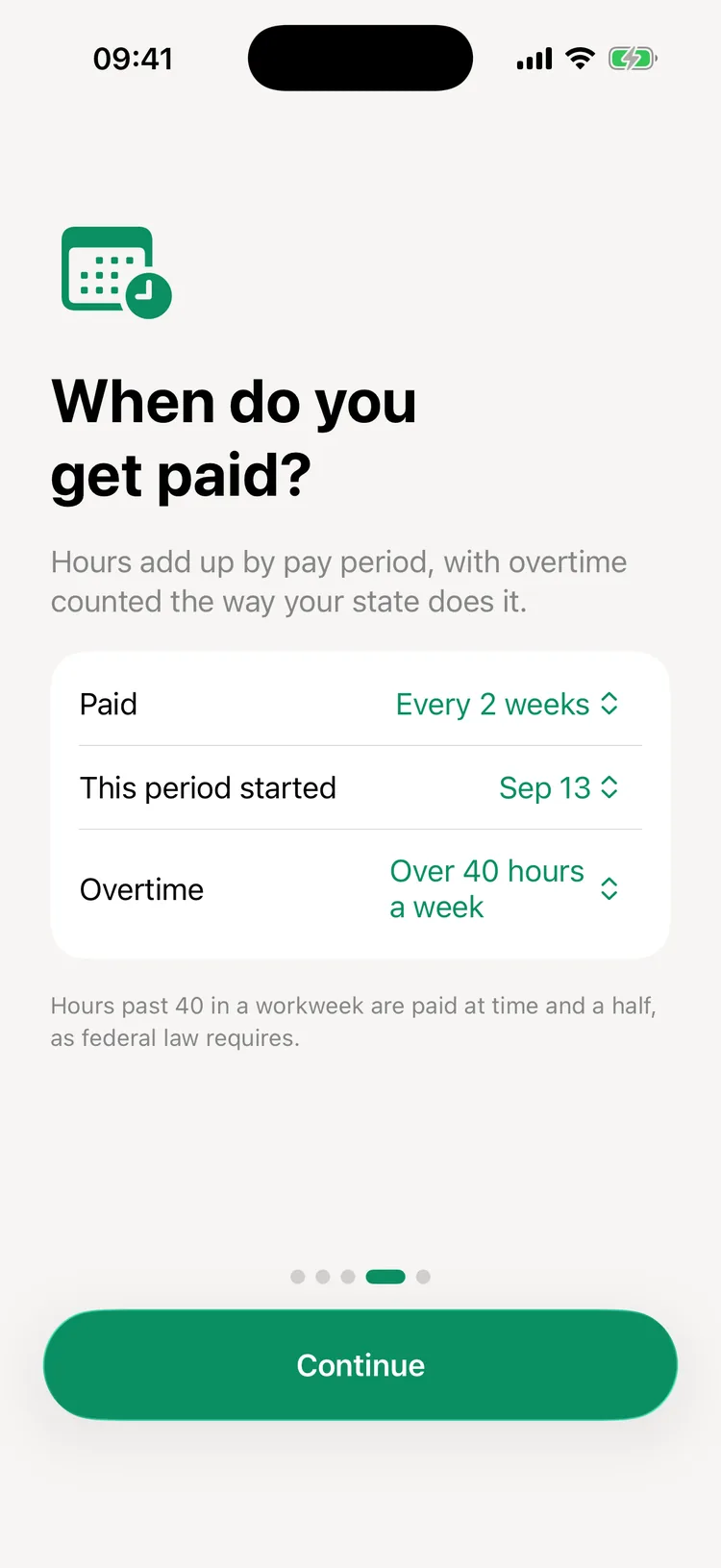
Choose when you're paid: every week, every 2 weeks, twice a month or monthly. Your hours add up by pay period, and 8hrs Pro splits them into regular time, overtime at 1.5× and double time at 2× under federal, Alaska and Nevada, or California rules, with your estimated pay before taxes.

Pay period report for September with 110 hours 8 minutes worked, 16 hours of overtime and $2,339 in estimated pay

Billable hours

See what every hour earns

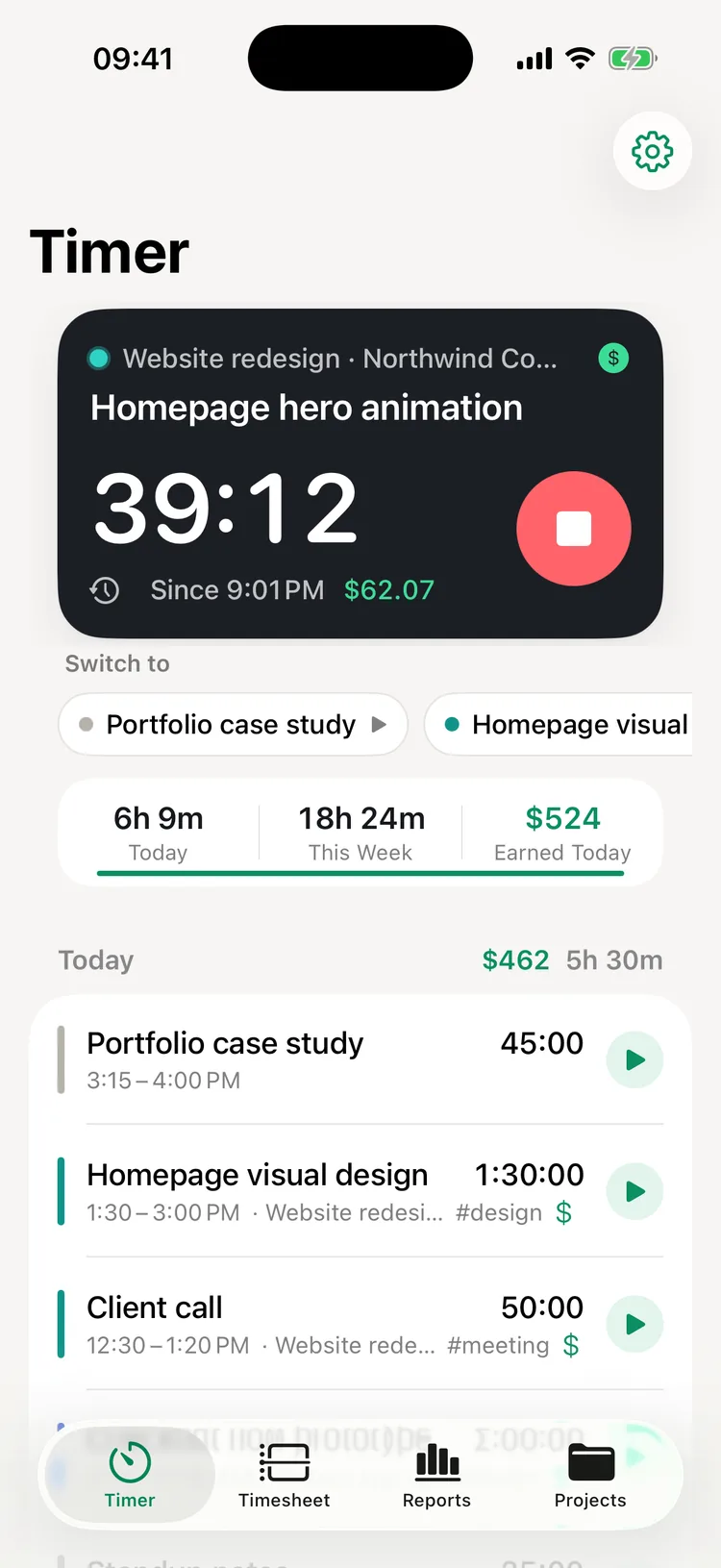
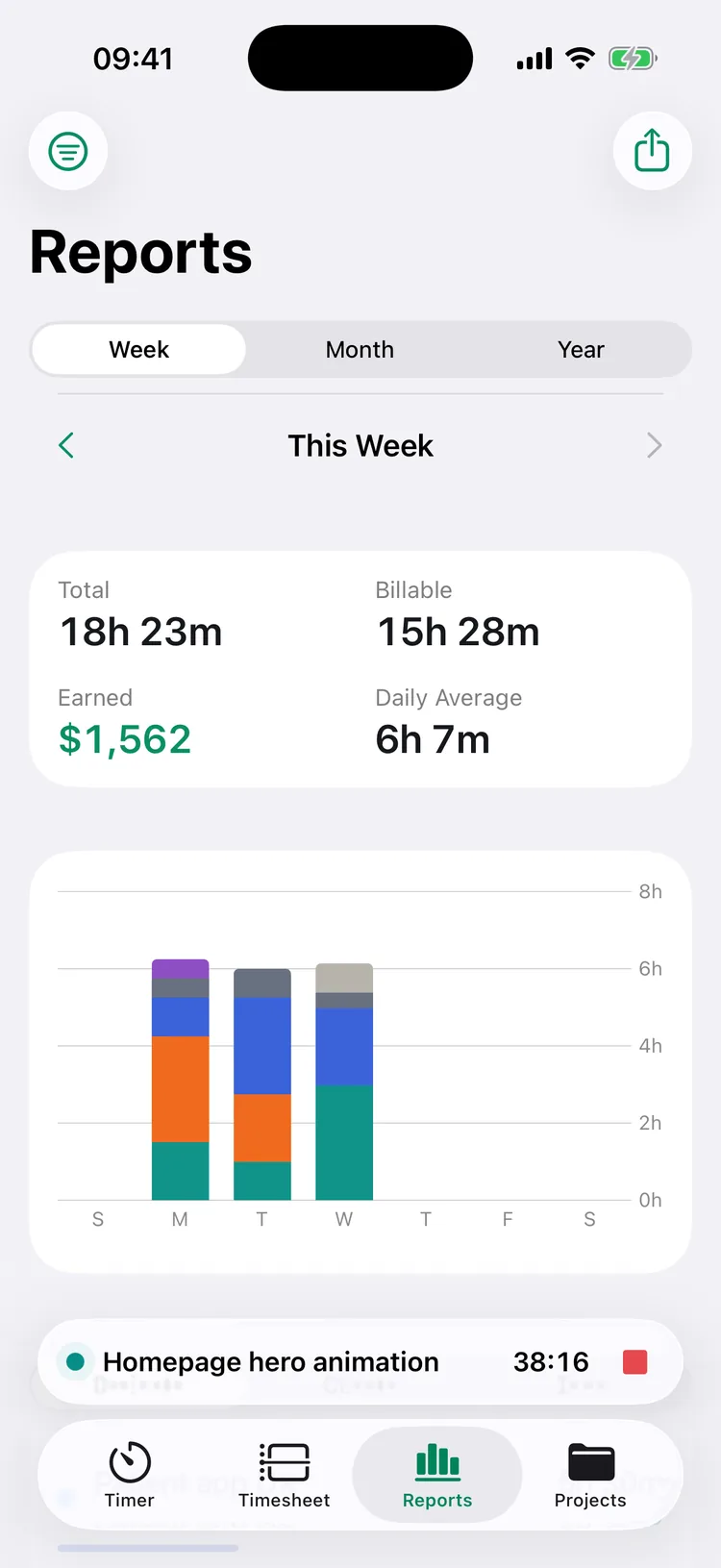
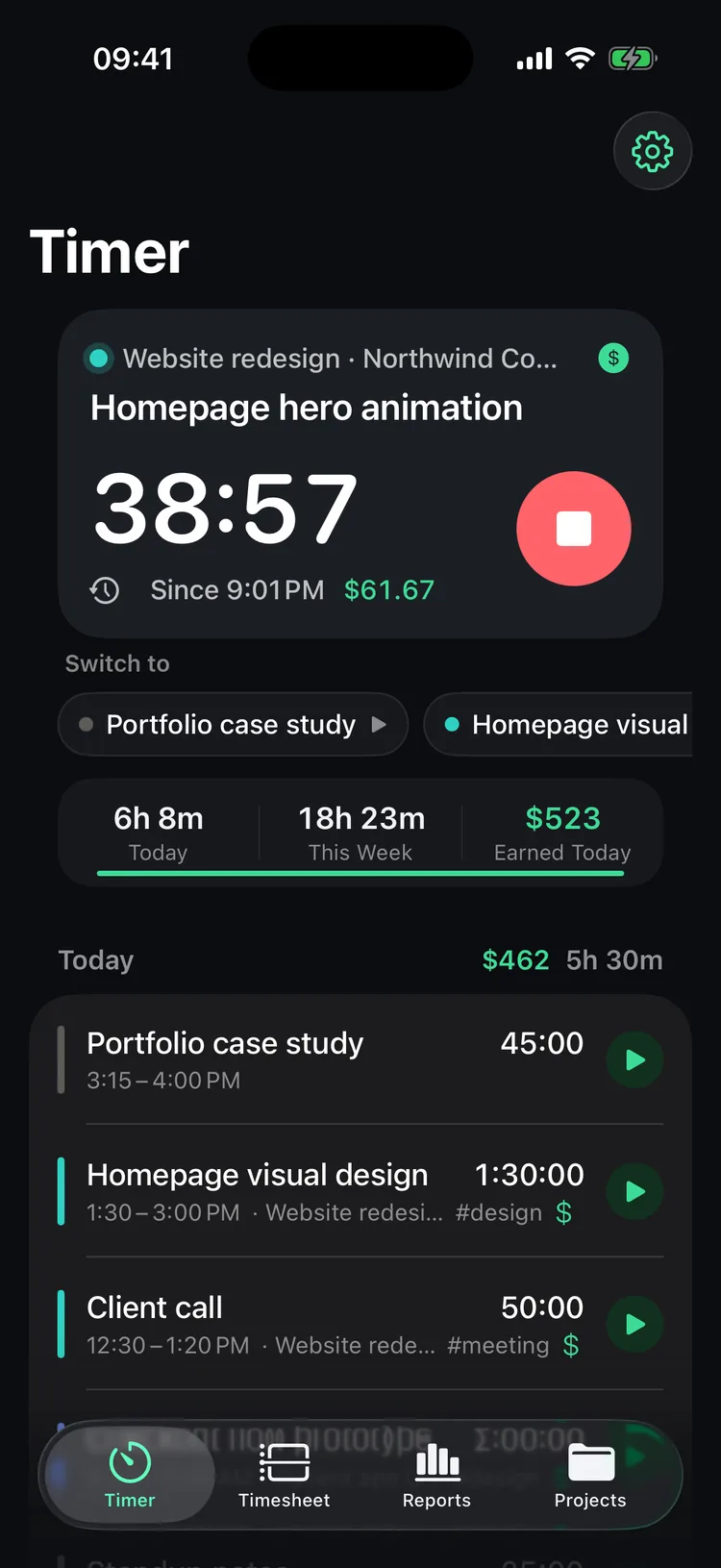
Set an hourly rate for a client or a project. Billable time shows its earnings while the timer runs, and your day and week add up in dollars as well as hours. Export every entry to CSV for free, or send a PDF timesheet with 8hrs Pro.

Running timer with hourly rate earnings and today's billable total

Import

Bring your hours from Toggl, Clockify or Harvest

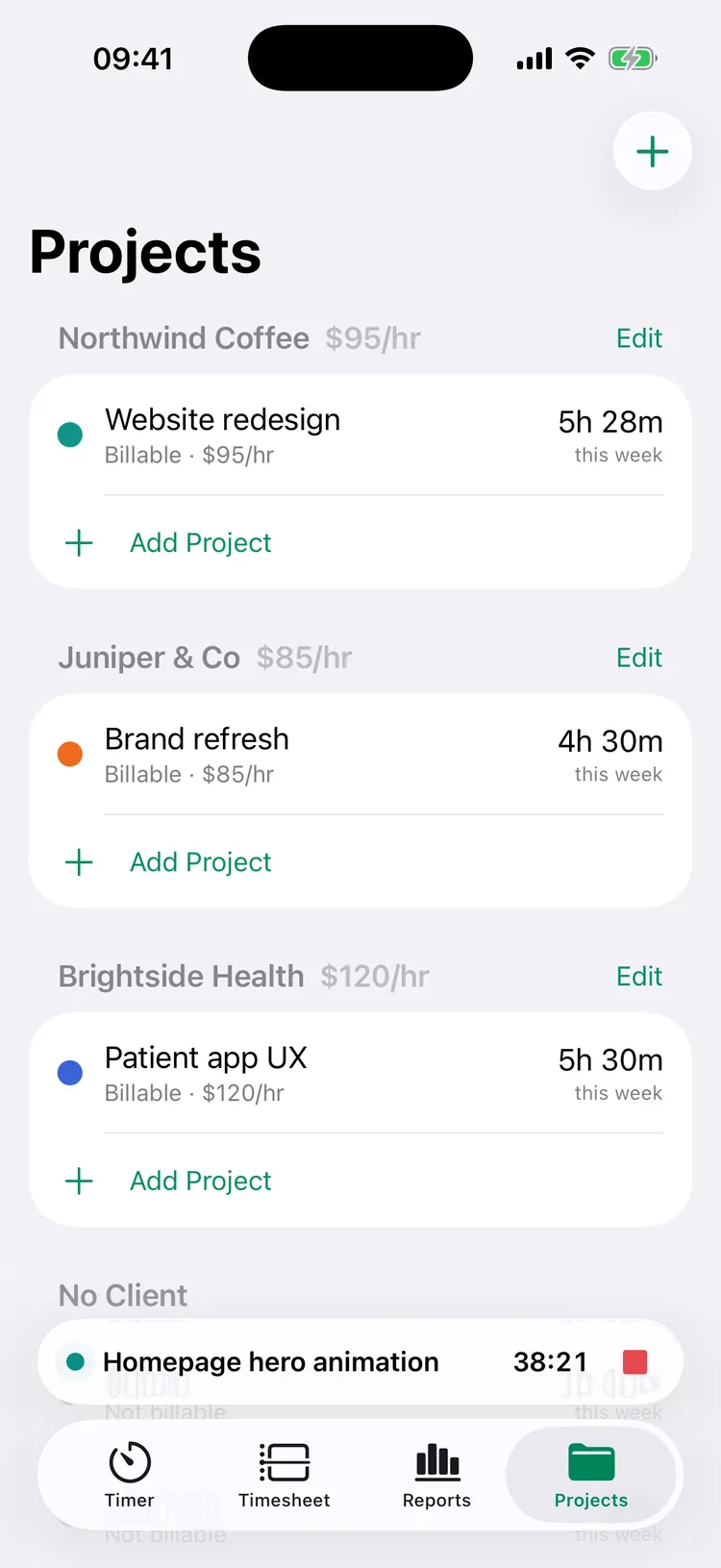
Export a detailed CSV report from Toggl Track, Clockify or Harvest and choose it in 8hrs. Projects, clients, tags and rates come along, and importing the same file twice adds nothing. Import is free.

Projects grouped by client with hourly rates and hours this week

Built for iPhone, not ported to it

Live Activity

Timer on the Lock Screen

Time, project and a Stop button on the Lock Screen and in the Dynamic Island.

Control Center

One toggle, anywhere

Start your last timer or stop the current one from Control Center or the Action button.

Widgets

Continue in a tap

Home Screen and Lock Screen widgets with Stop and Continue buttons.

Siri & Shortcuts

Track by voice

Say “Start a timer in 8hrs” or ask how many hours you tracked today.

Reminders

Never lose a workday

A nudge on workday mornings, and a “still working?” check when a timer runs long.

Privacy

No account, no ads

No sign-up and no tracking. Your hours stay on your iPhone and in your own iCloud, and CSV export is always free.

Free to track. Pro when you need it.

8hrs is free to download, with no ads and no limit on history. 8hrs Pro is optional. Prices are in US dollars.

Free

Everything you need to track

Timers, timesheets, widgets, iCloud sync, import and CSV export, with no limit on history.

8hrs Pro

Overtime, pay and every report

Overtime and pay estimates, PDF timesheets, year reports, client filters, tag reports and rounding for billable time.

Yearly

$19.99 a year

Starts with a 7-day free trial. Works out to about $1.67 a month.

Monthly

$2.99 a month

Renews every month. Cancel anytime in Settings on your iPhone.

Lifetime

$49.99 once

Pay once and keep 8hrs Pro. No subscription.

AppHunt

Or get Pro for free

Request an 8hrs Pro promo code through AppHunt and redeem it in the app. See how it works.

AppHunt special project

Get a year of 8hrs Pro free with AppHunt

Unlock a promo code in the AppHunt app for 100 Hunt Points, then redeem it with Apple for a full year of 8hrs Pro. Earn points with your free AppHunt account.

Get your free promo code Find more free apps

For new subscribers. 1,500 redemptions available. Redeem before March 1, 2027 (Pacific Time). After one free year, the subscription renews at the standard price unless canceled. Apple shows your local price before you redeem.

  1. Get your codeOpen the offer in AppHunt. Use 100 Hunt Points to unlock it; earn points by signing up and checking in.
  2. Redeem with AppleFollow your code’s App Store link. Apple checks eligibility and shows the subscription terms.
  3. Enjoy a year freeUse 8hrs Pro for one year. Manage or cancel renewal anytime in Apple Account settings.

Help when you need it

Short answers from 8hrs support for the things people ask about most.

01 / Breaks

Take and end a break

Start a break from the timer, go back to the same shift, or end the shift during a break. Read about breaks.

02 / Overtime

Set up overtime and pay periods

Choose a pay schedule and an overtime rule, and see how the pay estimate works. Read about overtime.

03 / Import

Move from Toggl, Clockify or Harvest

Export a CSV from the app you're leaving and bring your hours, projects and rates. Read the import steps.

04 / 8hrs Pro

Buy, restore or redeem a code

Start a trial, restore a purchase, redeem a promo code or cancel a subscription. Read about 8hrs Pro.

Need a hand?

Find an answer

Timers, widgets, reports, exports and common questions. Visit 8hrs support.

AppHunt Studio

Part of the AppHunt family

8hrs is made by the team behind AppHunt. Meet our other apps.

Questions about the 8hrs time tracker

When can I download 8hrs?

8hrs is available now on the App Store for iPhone.

Is 8hrs free?

Yes. 8hrs is free to download, with no ads and no limit on history. Timers, timesheets, widgets, iCloud sync, import and CSV export are all free. 8hrs Pro is optional.

How much does 8hrs Pro cost?

$19.99 a year with a 7-day free trial, $2.99 a month, or $49.99 once for lifetime access. Pro adds overtime and pay estimates, PDF timesheets, year reports, client filters, tag reports and rounding of billable time. Prices are in US dollars, and subscriptions renew until you cancel them in Settings on your iPhone.

How do I get 8hrs Pro free?

Get a promo code on AppHunt for one free year of 8hrs Pro. The code costs 100 Hunt Points, which you can earn in AppHunt. New subscribers only; renews at the standard price after the free year unless canceled.

Does 8hrs calculate overtime?

Yes, with 8hrs Pro. Pick your rule in Settings: over 40 hours in a workweek (federal), over 8 hours a day or 40 a week (Alaska, Nevada), or California rules, which add double time past 12 hours in a day and extra pay on the seventh day in a row. 8hrs shows regular hours, overtime at 1.5× and double time at 2×, with your estimated pay before taxes.

Does 8hrs work for hourly jobs and shifts?

Yes. Choose By the hour when you set up 8hrs. Start the timer when your shift begins, tap the break button for lunch, and stop it when you're done. Your hours add up by pay period, and 8hrs Pro adds overtime and estimated pay.

Can I use 8hrs as a timesheet app for clients?

Yes. Give each client or project an hourly rate, mark time as billable and export a CSV file for free. 8hrs Pro adds PDF timesheets, client filters and rounding to 6, 15 or 30 minutes.

Can I import from Toggl, Clockify or Harvest?

Yes, for free. Export a detailed report as a CSV file from Toggl Track, Clockify or Harvest, then choose it in Settings → Import from Toggl, Clockify or Harvest. Projects, clients, tags and rates come along, and importing the same file twice adds nothing. See the steps.

Is 8hrs an alternative to Toggl, Clockify or Harvest?

If you track your own time on iPhone, yes: no account, no per-seat pricing, a timer on your Lock Screen, and an import for the hours you already tracked. Teams that need shared workspaces are better served by team tools.

How do I track hours I forgot to log?

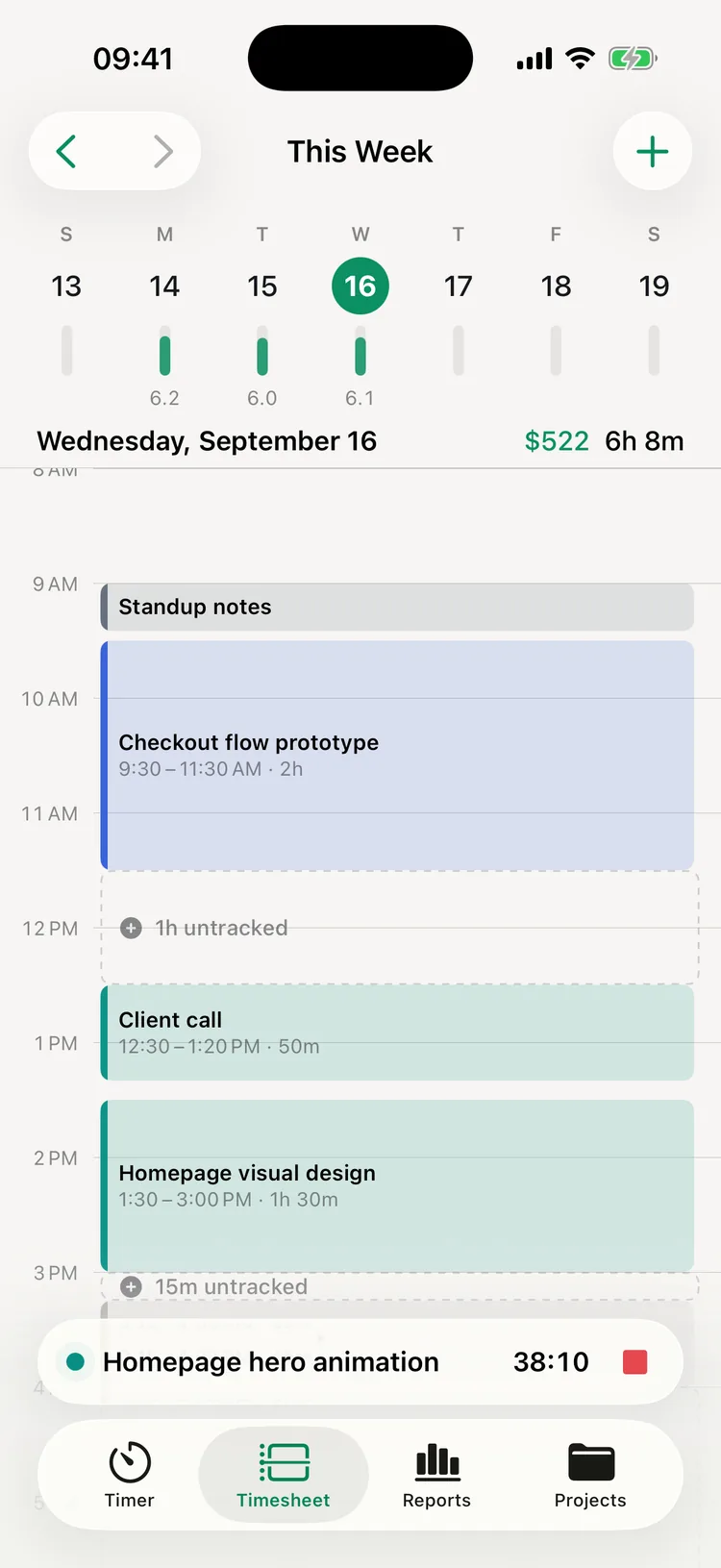
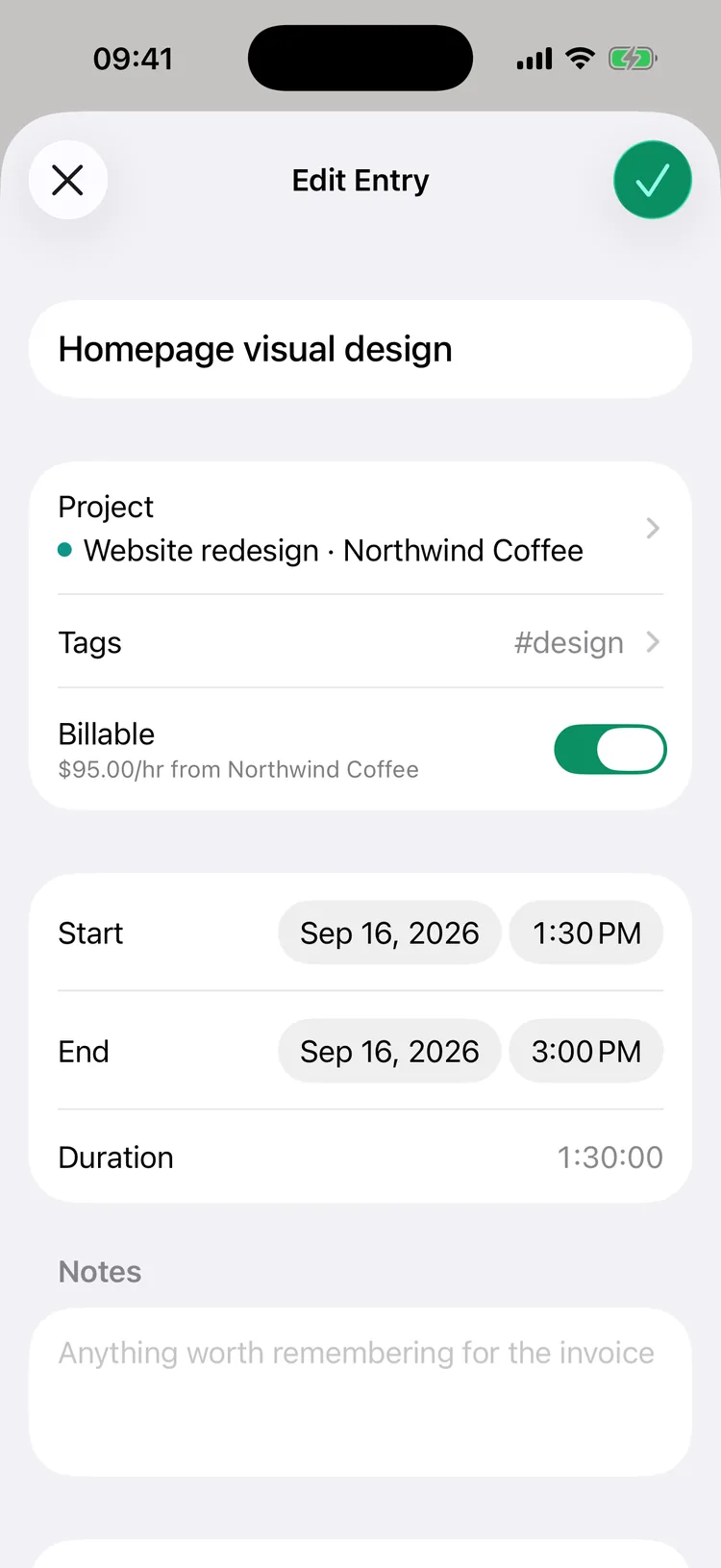
Type “Client call 2-3pm yesterday” or “Email since 9:15”, fill an untracked gap on the day timeline, or edit any entry's start and end.

Do I need to create an account?

No. Open the app and start a timer. There's no sign-up, and we don't keep your hours on our servers.

Where is my data stored?

On your iPhone and, when iCloud sync is on, in your private iCloud database, which we can't read. You can export every entry to CSV at any time from Settings.

How is 8hrs connected to AppHunt?

8hrs is a special project by the team behind AppHunt, where you can discover promo codes and App Store deals. You don't need an AppHunt account to use 8hrs, only to request a Pro promo code. Meet our other apps, including Folbrio.
Every hour, accounted for.

Download 8hrs for iPhone. Start free and add 8hrs Pro when you need more.