AppHuntUse apps for free.
Paid apps & subscriptions, free with promo codes.See offers

Dog whistle and clicker for iPhone and iPad

A dog whistle and a clicker. And the lessons to use them.

Fluier plays the classic whistle signals at any pitch from 500 Hz to 22 kHz, clicks the instant your finger lands, and walks you through short step-by-step lessons for recall, the stop whistle, everyday manners and tricks. Reward-based training only: mark the moment, then reward. No account, no ads.

Free to download · optional Fluier Premium

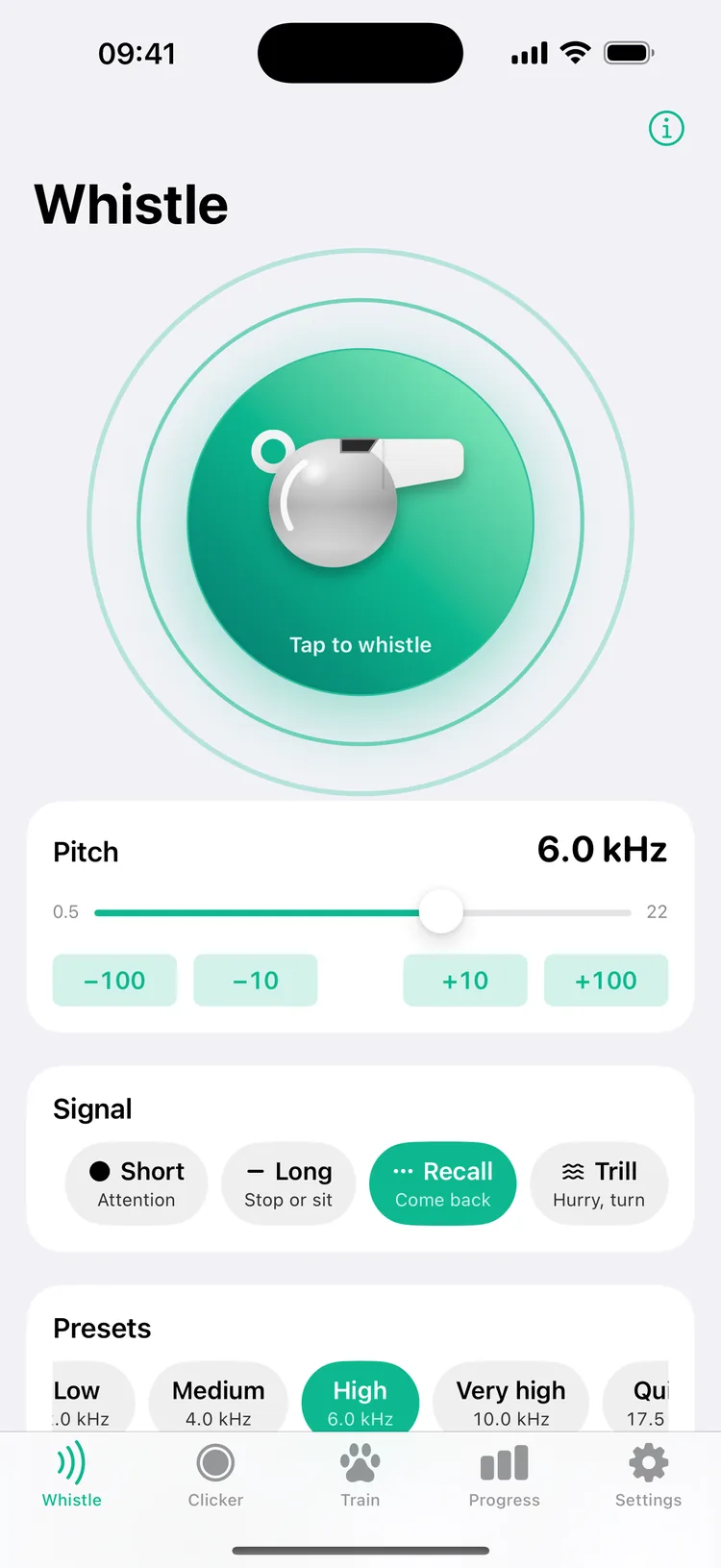
Fluier's Whistle screen: a chrome whistle on a green button ringed by sound waves, the pitch at 6.0 kHz, the Recall signal selected and the High preset highlighted
  • Whistle from 500 Hz to 22 kHz
  • Recall, stop and attention signals
  • 4 clicker sounds
  • 20 step-by-step lessons
  • Siri, Control Center and widgets
  • 45 languages

Short lessons that tell you what to do

Reward-based training, one small step at a time: the clicker or the whistle marks the moment, a treat follows, and Fluier keeps count.

Clicker

A click the instant your finger lands

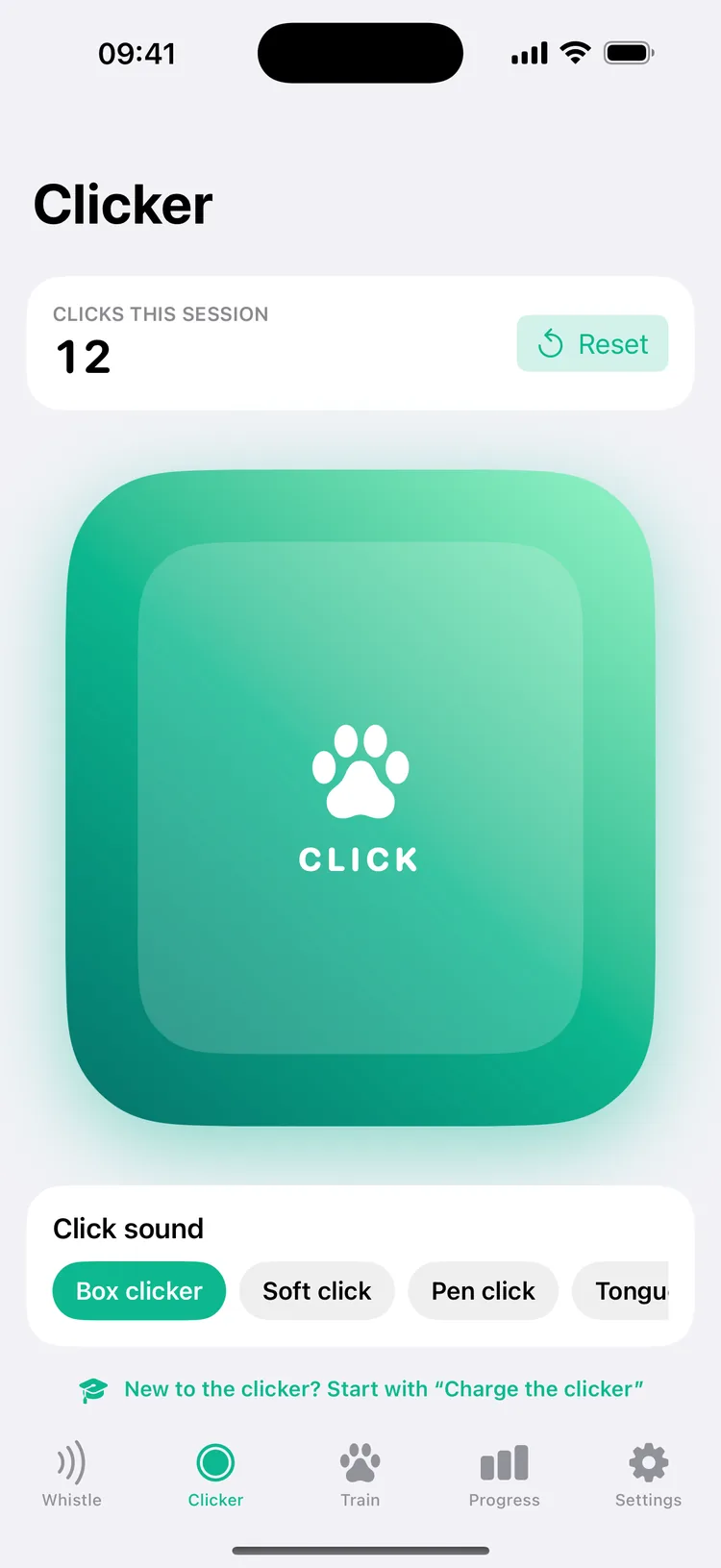
The big button clicks the moment you touch it, not when you let go, so you mark exactly what your dog did right. Choose a box clicker, soft click, pen click or tongue cluck, feel a tap with every click, and keep an eye on the count for the session.

The Clicker tab: a large green button with a paw print, 12 clicks this session, and the click sounds Box clicker, Soft click and Pen click

Training programs

Five programs, twenty short lessons

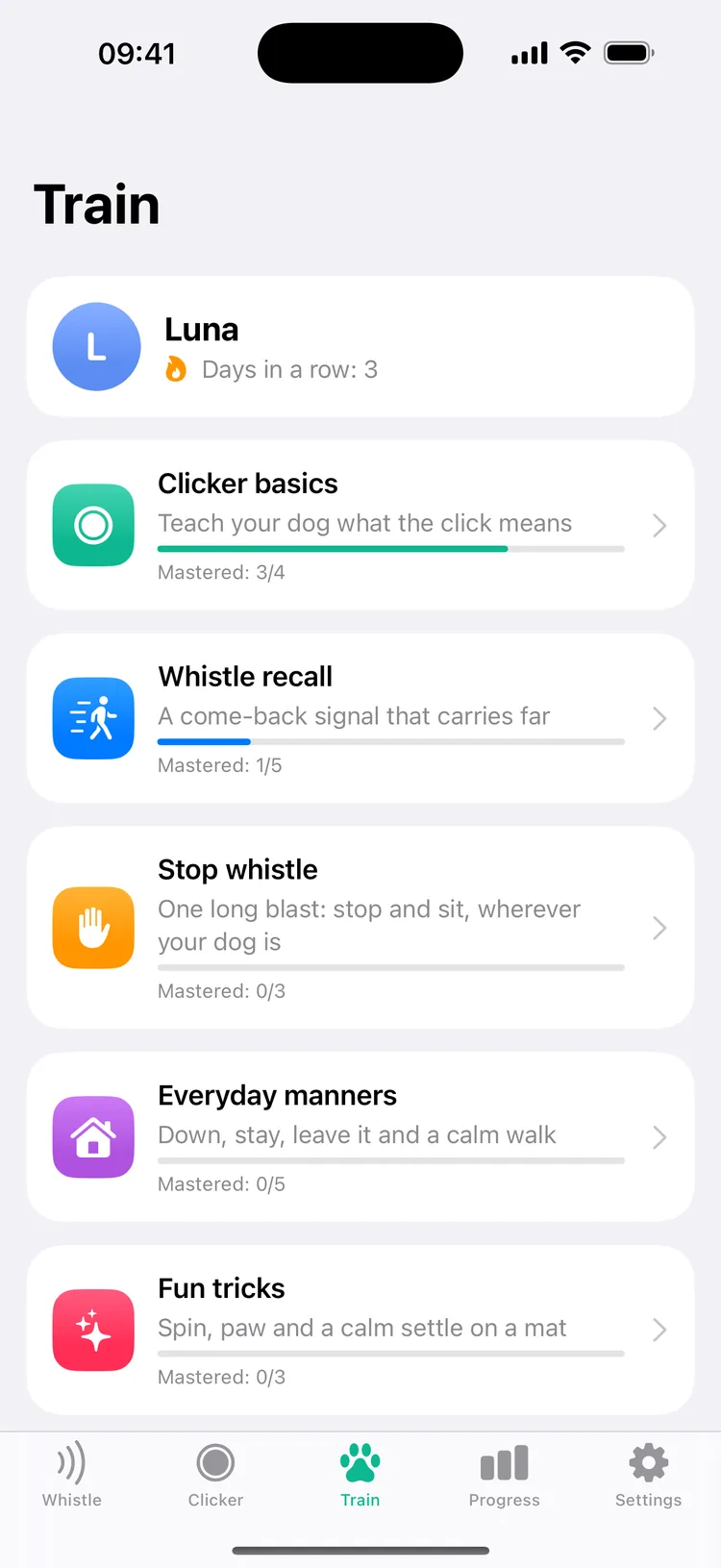
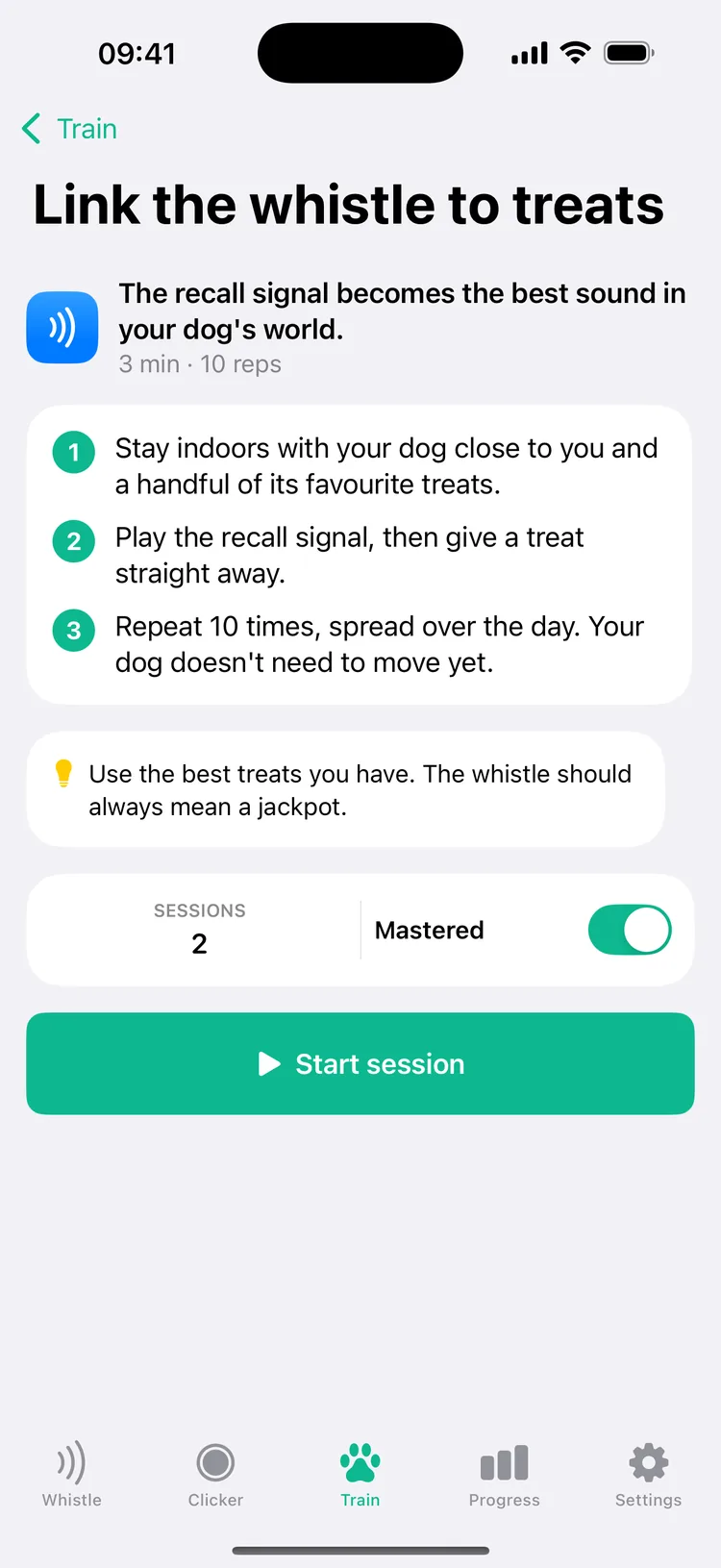
Start with clicker basics: charge the clicker, look at me, nose touch and sit. Then teach a whistle recall, one long blast that means stop and sit, everyday manners like down, stay, leave it, wait at the door and loose-leash walking, and fun tricks: spin, paw and a calm settle on a mat. Each program shows how many lessons your dog has mastered.

The Train tab for a dog named Luna, 3 days in a row: Clicker basics with 3 of 4 lessons mastered, Whistle recall with 1 of 5, then Stop whistle, Everyday manners and Fun tricks

Sessions

A timer and a tally for every session

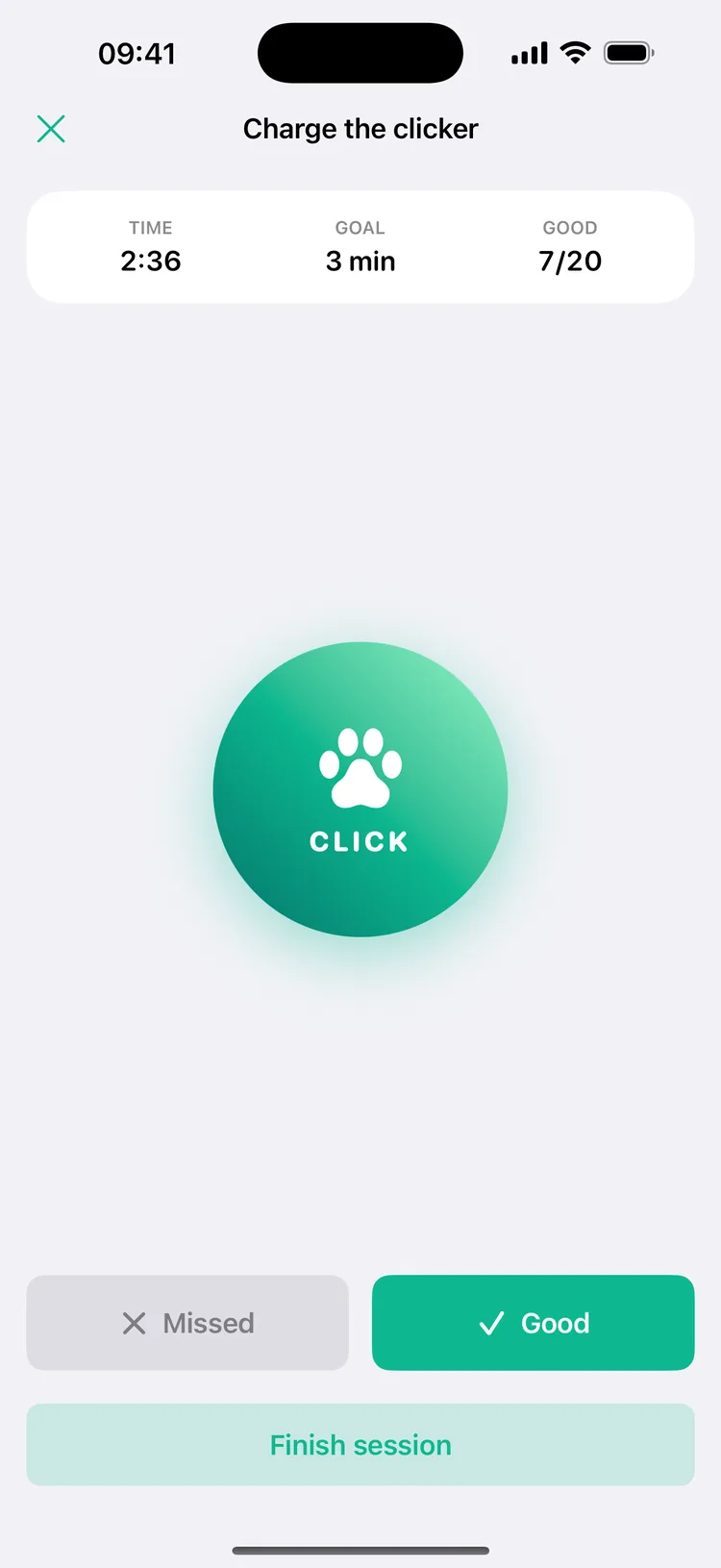
Start a session from any lesson: the timer runs against the lesson's goal, the clicker or the whistle is right on screen, and you tap Good or Missed after each try. When you finish, the session is saved to your dog's progress.

A session of Charge the clicker: 2:36 on the timer, a 3-minute goal, 7 of 20 good tries, a round clicker button, and Missed and Good buttons

A whistle with the signals trainers use

Pick one pitch and one signal for each command and use them every time: consistency matters more than the pitch.

Signals

Short, long, recall, trill

A short blast for attention, a long blast for stop or sit, four quick pips for recall and a trill for hurry or turn. Or press and hold for a steady tone.

Pitch

From 500 Hz to 22 kHz

Drag the slider, fine-tune by 10 or 100 Hz, or tap a preset from 2 to 17.5 kHz. You can change the pitch while the whistle sounds.

Sound

Classic or pure tone

A classic whistle sound with a touch of breath and vibrato, or a clean pure tone. Both play even with the ringer switched off.

High tones

Hard for adults to hear, not silent

Dogs hear high tones far better than people, and above about 16 kHz most adults hear little or nothing. The sound isn't silent, though, and phone speakers stop at about 20 kHz.

Free to start. Premium for every program.

Fluier is free to download, with no ads and no account. Fluier Premium is $2.99 a week or $19.99 a year with a 3-day free trial, $4.99 a month, or $29.99 once for life. Prices are in US dollars.

Free

Whistle, clicker and first lessons

The whistle with every signal, the clicker, the four Clicker basics lessons, the first recall lesson and your training log, with no limits.

Fluier Premium

Every program, several dogs

The other 15 lessons: the rest of Whistle recall, Stop whistle, Everyday manners and Fun tricks. Plus several dogs, each with its own progress.

Questions about Fluier

Can people hear the whistle?

Yes, at most pitches. Dogs hear high tones far better than people, and above about 16 kHz most adults hear little or nothing, but the sound isn't silent, and phone speakers stop at about 20 kHz. No phone can play a truly silent whistle.

Which pitch should I use?

Pick one pitch and one signal for each command and keep them: using the same signal every time matters more than the pitch. The Medium and High presets, 4 and 6 kHz, are easy for you to hear too, so you always know the whistle sounded.

Why do I need treats?

The click and the whistle only mean something because a reward follows. The first lessons teach your dog exactly that, and every lesson after them builds on it.

How long should a training session be?

About five minutes. Each lesson suggests a length, from 3 to 8 minutes, and a number of good tries to aim for. End while your dog is still keen.

Is Fluier for barking problems?

No. Fluier is a reward-based training tool: it helps you teach your dog what a signal means. For barking, anxiety or aggression, please see a qualified trainer or vet.

Can I whistle with Siri or from the Lock Screen?

Yes. Say “Whistle for my dog with Fluier” to open the app and play the recall signal. Whistle and Clicker buttons can go in Control Center, on the Lock Screen or on the Action button, and there's a Home Screen and Lock Screen widget.

Does Fluier need an account or the internet?

No. Your dogs and sessions stay on your device. There are no ads and no tracking.

Is Fluier free?

Yes. The whistle with every signal, the clicker, the Clicker basics lessons, the first recall lesson and your training log are free with no limits. Fluier Premium adds every other training program and several dogs.
Mark the moment. Then reward.

Fluier for iPhone and iPad. Free to download, with Fluier Premium for every training program.